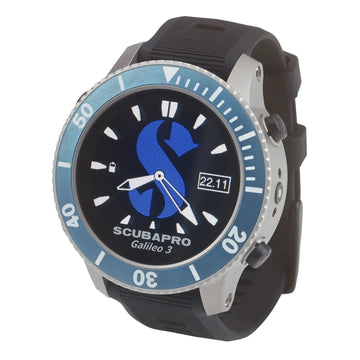
Scubapro Galileo 3 Titanium Wrist Dive Computer with Smart + Pro Transmitter
Scubapro Galileo 3 Titanium Wrist Dive Computer with Smart + Pro Transmitter is backordered and will ship as soon as it is back in stock.
What's in this bundle


Scubapro Galileo 3 Titanium Wrist Dive Computer with Smart + Pro Transmitter is backordered and will ship as soon as it is back in stock.
-
DiveCatalog.com Silicone Frameless Dive Mask
$59.95$6.00
1 -
DiveCatalog.com Retro Oval Dive Mask Without Nose Pocket Compensator
$44.95$4.50
1 -
DiveCatalog.com Classic Oval Dive Mask Silicone
$44.95$4.50
1 -
DiveCatalog.com Metal Coil Lanyard with Snap Clips
$39.95$4.00
1 -
DiveCatalog.com Junior Rubber Oval Dive Mask (15% smaller)
$34.95$3.50
1


-
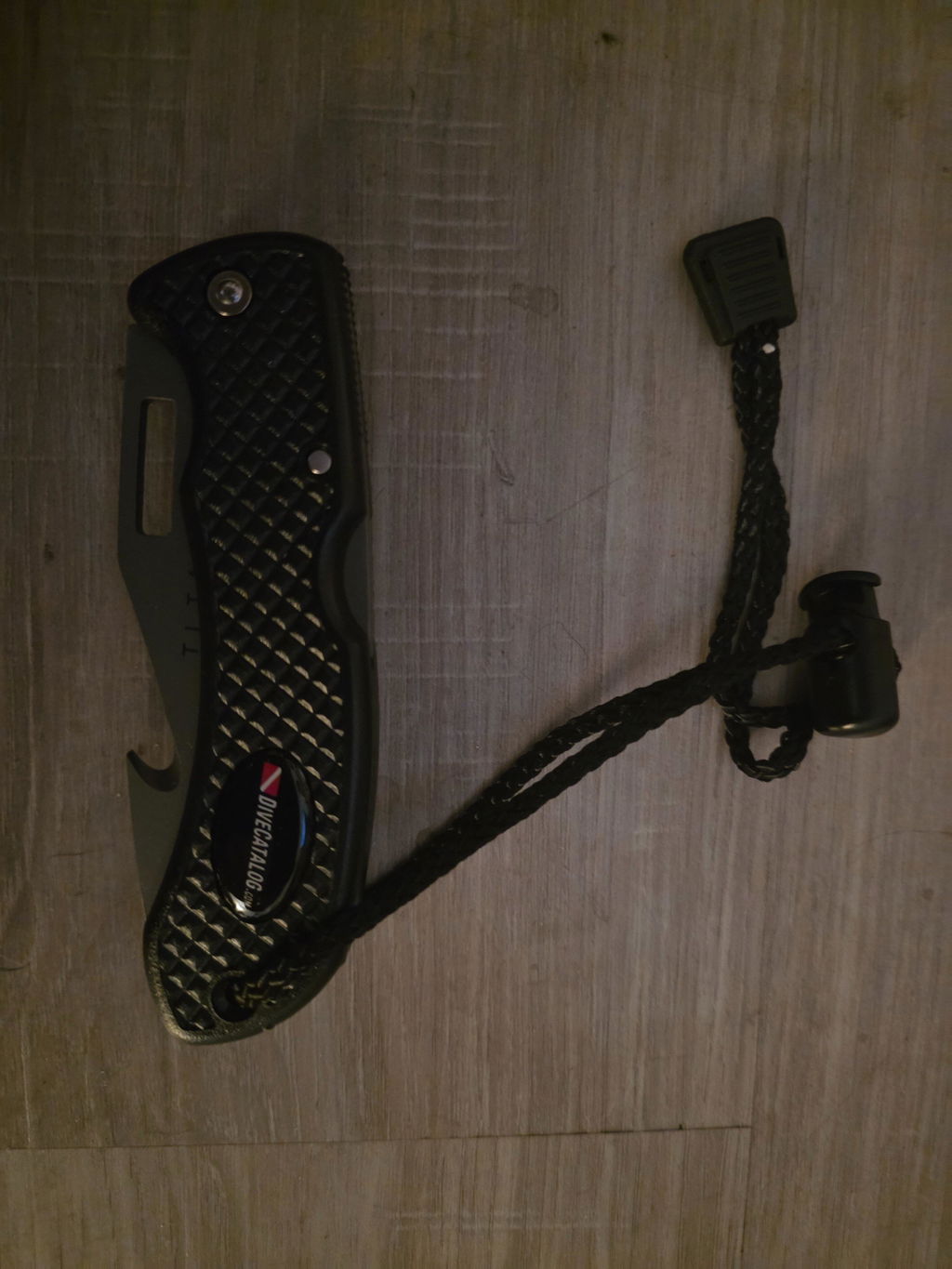
DiveCatalog.com Compact Dive Knife
$34.95$3.50
1 -
DiveCatalog.com Auto Lock Retractor 90cm - Black
$34.95$3.50
1 -
DiveCatalog.com Dive Retractor
$34.95$3.50
1 -
DiveCatalog Dive Essentials - Auto-Rebound Style Retractor
$39.95$4.00
1 -
DiveCatalog Quick Release Coil Lanyard with Buckle Scuba Essentials
$29.95$3.00
1 -
DiveCatalog.com Air Gun - Blue
$27.95$2.80
1 -
DiveCatalog.com Folding Dive Knife
$32.95$3.30
1 -
DiveCatalog.com Diving Double Layer Slate Palm Size (5x7.25") with Pencil
$26.95$2.70
1 -
DiveCatalog.com Line Cutter
$24.95$2.50
1 -
DiveCatalog.com Semi-Dry Snorkel
$23.95$2.40
1 -
DiveCatalog.com Nylon Weight Belt
$22.95$2.30
1 -
DiveCatalog.com Finger Reel with Bolt Snap
$26.95$2.70
1 -
Nocturnal Lights Adjustable Goodman Handle with 1 / 4 Mounting Points HM.GM
$47.99$4.80
1 -
Nocturnal Lights Triple Ball Joint Clamp standard 1 balls BJCLAMP.TRIPLE
$27.99$2.80
1 -
Nocturnal Lights Ball Joint Clamp fits all standard 1 balls BJCLAMP.DOUBLE
$23.99$2.40
1 -
Nocturnal Lights T-base Connector for Ikelite quick release handles TBASE.IKEQR
$23.99$2.40
1 -
Nocturnal Lights YS Arm Adapter for M700 Lights ADP.M7YS
$19.99$2.00
1 -
Nocturnal Lights Ball Joint Adapter for Underwater Ball Joint Arm Strobe and Lighting Systems
$19.99$2.00
1 -
Nocturnal Lights 45 Degree Ball Joint Adapter with T-base Slot BJADAPTER.TBASE45
$18.99$1.90
1 -
Nocturnal Lights 90 Degree Ball Joint Adapter with T-base Slot BJADAPTER.TBASE90
$15.99$1.60
1


Payment & Security
Payment methods
Your payment information is processed securely. We do not store credit card details nor have access to your credit card information.
Product Information
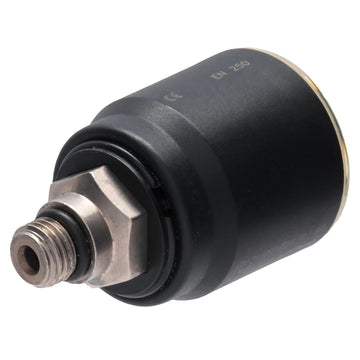
The SCUBAPRO Galileo 3 Ti Dive Computer with Transmitter Smart + Pro is a watch-style wrist dive computer with a titanium case and sapphire lens, bundled with a wireless Transmitter Smart + Pro for air integration and true remaining bottom time (RBT). It supports six dive modes, up to 8 nitrox or trimix gas pairs, two selectable decompression algorithms, and weighs 99 grams (3.49 ounces).
Who it is for
This computer is built for divers who want one device covering Nitrox, Trimix, CCR, Sidemount, Gauge, and Freediving modes along with wireless tank pressure monitoring. The titanium case and full watch functions let it serve as an everyday watch between dives.
Key details
- Titanium case with sapphire lens and protective mineral glass over the display
- Maximum operating depth of 984 feet (300 m)
- Supports 21 to 100% nitrox and trimix across up to 8 gas pairs
- Two selectable algorithms: ZH-L16 ADT MB PMG and ZH-L16 GF
- 3D tilt-compensated digital compass with full compass rose
- Rechargeable lithium battery rated up to 30 hours per charge
- 485 MB of memory with a logbook capacity of up to 1000 hours
- Bluetooth Low Energy and USB connectivity for notifications, log downloads, and firmware updates
Compatibility and sizing
The computer ships on a 22 mm black silicone strap with an included extension, and uses SCUBAPRO's interchangeable 22 mm band system. The Transmitter Smart + Pro screws into a high-pressure port on a first-stage regulator and relays tank pressure wirelessly to the display, with a maximum operating depth of 984 feet (300 m) and a maximum operating pressure of 300 bar (4350 psi).
What's in the box
- Galileo 3 Ti dive computer
- Transmitter Smart + Pro
- Silicone arm strap
- Arm strap extension
- USB cable
- Charging dongle and holder
- Lanyard with clip
- Quick reference card
- Read First Manual
- Soft black carrying case
DiveCatalog.com is an authorized SCUBAPRO dealer and a dive shop in Irvine, California, since 2003. Call or chat with us at 888-701-4017 if you have questions about strap sizing or transmitter compatibility with your first stage.
- Titanium case: Lightweight titanium case weighing 99 grams (3.49 ounces) with a sapphire lens and protective mineral glass.
- Six dive modes: Supports Nitrox, Trimix, CCR, Sidemount, Gauge, and Freediving modes.
- Wireless air integration: Included Transmitter Smart + Pro relays tank pressure and calculates true remaining bottom time (RBT).
- Multi-gas support: Handles up to 8 gas pairs of 21 to 100% nitrox and trimix.
- Dual algorithms: Choose between ZH-L16 ADT MB PMG and ZH-L16 GF algorithms, with PDIS and Microbubble conservatism settings.
- 3D digital compass: Tilt-compensated compass with a full compass rose display.
- Full-color display: High-contrast dot matrix display with backlight and Light or Classic screen layouts.
- Bluetooth connectivity: Bluetooth Low Energy and USB for smart notifications, log downloads, and firmware updates.
- Rechargeable battery: Lithium battery rated up to 30 hours per charge.
- Large memory: 485 MB of storage for a logbook capacity of up to 1000 hours.
- Transmitter specs: Transmitter Smart + Pro is rated to 984 feet (300 m) and 300 bar (4350 psi), with a user-replaceable CR2 battery good for about 300 dive hours or 2 years.
- Two-year warranty: Covered by SCUBAPRO's Limited Two-Year Warranty from date of purchase when bought from an authorized dealer.
| Item Number | 05.103.300 |
| UPC | 4048336443296 |
| Display | Full-color dot matrix with protective mineral glass |
| Control Buttons | 4 |
| Max Operating Depth | 984 ft (300 m) |
| Gases Supported | 21-100% Nitrox, Trimix, 8 gas pairs |
| Algorithms | ZH-L16 ADT MB PMG, ZH-L16 GF |
| Dive Modes | Scuba, Freediving, CCR, Sidemount, Gauge |
| Compass | 3D digital, tilt-compensated with full compass rose |
| Connectivity | Bluetooth Low Energy, USB |
| Battery | Rechargeable lithium (up to 30 hours per charge) |
| Memory | 485 MB; 1000-hour logbook capacity |
| Case/Lens Materials | Titanium case, sapphire lens |
| Weight | 99 g (3.49 oz) |
| Strap | 22 mm black silicone (included) |
| Transmitter Max Operating Depth | 984 ft (300 m) |
| Transmitter Max Operating Pressure | 300 bar (4350 psi) |
| Transmitter Weight | 100 g (3.5 oz) |
| Transmitter Battery | User-replaceable CR2, approximately 300 dive hours or 2 years |
| Warranty | Limited Two-Year Warranty from date of purchase (authorized dealers only) |
- Galileo 3 Ti dive computer
- Transmitter Smart + Pro
- Silicone arm strap
- Arm strap extension
- USB cable
- Charging dongle and holder
- Lanyard with clip
- Quick reference card
- Read First Manual
- Soft black carrying case
Frequently Asked Questions
Why do I need my own dive computer?
A dive computer tracks the actual depth and time profile you have dived and the tissue loading that follows from it, which is personal to you. A rented computer has no record of your recent diving, and swapping models each trip means relearning the display and menus when you should be focused on the dive. Owning one you know well is a genuine safety and comfort improvement.
Can two divers share one dive computer?
No. A computer only tracks the profile of the diver actually wearing it, and even buddies who stay together do not follow identical depth and time profiles. Every diver needs their own computer, and passing one between divers or between dives is unsafe.
What does conservatism mean on a dive computer?
Conservatism settings make the computer's calculations more cautious, shortening allowed bottom times and adding margin beyond the base algorithm. Divers commonly add conservatism for factors such as cold, hard work, fatigue, or repetitive multi-day diving. How and when to adjust it is covered by your training and your computer's manual, so set it before you get in the water and follow what your computer tells you during the dive.
What kind of battery does a dive computer use?
Broadly there are two types: user-replaceable batteries, often a coin cell that you or a shop swap along with resealing an o-ring, and sealed rechargeable batteries that charge from a cable or dock. Neither is universally better, as replaceable cells are convenient on remote trips while rechargeables avoid ever opening the case. Follow the manual exactly for any battery change, because an improperly seated o-ring or case is the usual cause of a flooded computer.
Do I need to do anything special for altitude diving or flying after diving?
Yes, both change the picture, and both are governed by your training agency's guidance and your computer's instructions rather than any casual rule of thumb. Many computers have an altitude setting that must be configured before diving at elevation, and most display a no-fly or surface-interval countdown after a dive. Follow your computer and your training, and ask a dive professional or a dive-medicine specialist if you are unsure.
How do I care for a dive computer?
Rinse it in fresh water after every dive day, paying attention to the buttons and around any sensor openings where salt crystals form, and let it dry fully before storing. Keep it out of prolonged direct sun and extreme heat, and avoid pressing buttons while sand is on the case. Inspect the strap or bungee often, because a failed strap loses far more computers than a failed computer does.
What is the difference between wrist, console, and air-integrated dive computers?
A wrist computer is worn like a watch and read by raising your arm, while a console computer sits at the end of a hose with your other gauges. Air integration means the computer also displays cylinder pressure, either through a hose or from a wireless transmitter on the first stage, and often estimates remaining gas time. All of them run a decompression algorithm, so the real difference is where you read the information and how much of it you get.
What is the difference between the Galileo 3 Ti and this Transmitter Smart + Pro bundle?
The standalone Galileo 3 Ti (item 05.103.301) does not include a transmitter, while this bundle (item 05.103.300) adds the Transmitter Smart + Pro for wireless air integration and true remaining bottom time. Both share the same titanium case, sapphire lens, and dive computer features; the bundle simply adds the transmitter hardware for tank pressure monitoring.
How does the Transmitter Smart + Pro attach to my regulator?
It screws into a high-pressure port on your first-stage regulator and sends tank pressure data wirelessly to the Galileo 3 Ti display. The transmitter is rated to a maximum operating depth of 984 feet (300 m) and a maximum operating pressure of 300 bar (4350 psi).
What battery does the Transmitter Smart + Pro use and how long does it last?
The transmitter uses a user-replaceable CR2 battery rated for approximately 300 dive hours or about 2 years of use. This is separate from the Galileo 3 Ti's rechargeable lithium battery, which runs up to 30 hours per charge via USB cable and charging dongle.
What warranty covers the Galileo 3 Ti?
SCUBAPRO backs the Galileo 3 Ti with a Limited Two-Year Warranty from the date of purchase for original consumer purchasers buying from an authorized dealer. It covers defects in materials and workmanship under normal use with reasonable maintenance, and does not apply to commercial use.