Oceanic Oceanic+ Console Petrol Blue
In stock — ships from Irvine, CA
This item is currently on backorder. Order now to reserve yours, and we will ship it as soon as it is back in stock.
Oceanic Oceanic+ Console Petrol Blue - PSI is backordered and will ship as soon as it is back in stock.
Pickup available at In Store
Usually ready in 2 hours


-
DiveCatalog DIN Cap for 1st Stage (Female) for Scuba Diving Tanks - Scuba Essentials
$19.95$2.00
1 -
DiveCatalog Hose Clamp for Scuba Diving - Scuba Essentials
$17.95$1.80
1 -
DiveCatalog Neoprene Mask Strap Cover
$17.00$1.70
1 -
DiveCatalog Silicone Mouthpiece Replacement w/ installation - Scuba Essentials
$14.95$1.50
1 -
DiveCatalog Rubber Tank Valve Protector for Scuba Diving Tanks - Scuba Essentials
$11.95$1.20
1


-
DiveCatalog Fin Strap and Scuba Dive Accessory Holder Scuba Accessory Essentials
$9.95$1.00
1 -
DiveCatalog Female Quick Release Clip with Bungee cord for Scuba Accessory Essentials
$8.99$0.90
1 -
DiveCatalog.com Scuba Mouthpiece Cover
$7.95$0.80
1 -
DiveCatalog Scuba Essentials - PVC Tank Valve Protector for Scuba Diving Tanks
$5.95$0.60
1 -
Multi-Purpose Clip with Male and Female Quick Release Clip and Bungee Cord Scuba Accessory Essentials by DiveCatalog
$5.95$0.60
1 -
Whistle with Lanyard in Orange by DiveCatalog
$5.00$0.50
1 -
DiveCatalog.com Stainless Steel 2 Inch Webbing Keeper with Serrated Teeth Weights
$1.95$0.20
1 -
DiveCatalog.com Weight Keeper Stopper - Black
$1.45$0.15
1


Payment & Security
Payment methods
Your payment information is processed securely. We do not store credit card details nor have access to your credit card information.
Save with a package
Ready-made packages that include this item
 Save $44.99 (2% off)
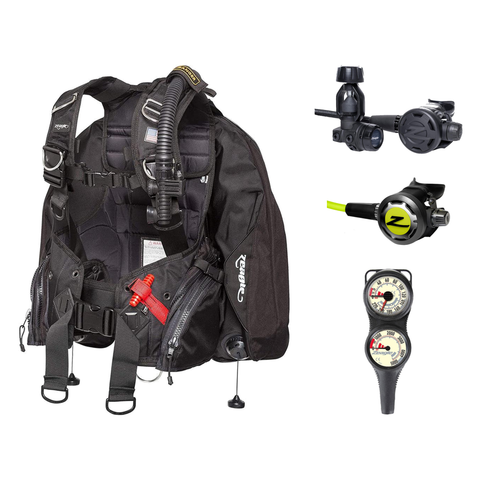


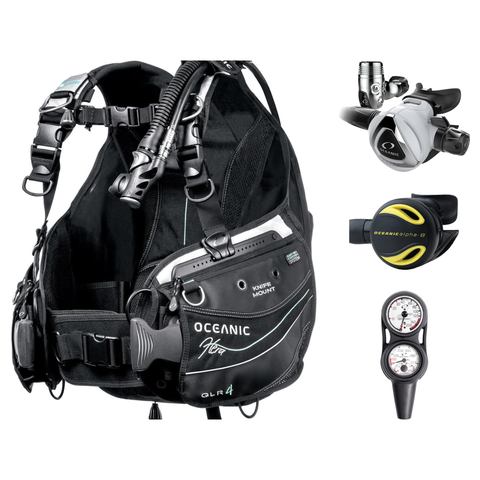 Save $44.99 (3% off)
 Save $44.99 (3% off)
 Save $44.99 (3% off)
Product Information
The Oceanic Oceanic+ Console in Petrol Blue is a submersible pressure gauge console built to pair tank pressure monitoring with an Apple Watch Ultra, so pressure data and your dive computer display stay in one setup. It reads up to 5,000 PSI (400 BAR), ships in PSI or BAR configurations, and uses a 32 in (81 cm) HP Miflex hose.
Who it is for
This console suits divers who want tank pressure monitoring integrated with their Apple Watch Ultra in one console setup. It is built around a universal design that fits Oceanic wrist computers, including the Geo and similarly sized models, so it works for divers standardizing their gear around the Oceanic+ ecosystem.
Key details
- Submersible pressure gauge reads to 5,000 PSI (400 BAR)
- Available in PSI and BAR versions
- 32 in (81 cm) HP Miflex hose included, compatible with rubber hoses as needed
- Nitrox compatible to 40% mix
- Universal mount fits Oceanic wrist computers, including Geo and similar sizes
- Apple Watch Ultra is not included
Compatibility and sizing
The console uses a universal design intended to fit Oceanic wrist computers such as the Geo and similarly sized models. Choose the PSI or BAR version to match how you read tank pressure; both share the same 5,000 PSI / 400 BAR gauge range and 32 in (81 cm) Miflex hose.
What's in the box
The console ships with a 32 in (81 cm) HP Miflex hose; contact us to confirm exactly what else is in the box.
DiveCatalog.com is an authorized Oceanic dealer and a dive shop in Irvine, California, open since 2003. Call or chat with us if you need help confirming PSI versus BAR, hose compatibility, or fit with your Oceanic wrist computer before you order.
- Pressure range: Submersible pressure gauge reads up to 5,000 PSI (400 BAR) for reliable monitoring.
- Universal fit: Compatible with Oceanic wrist computers, including Geo and similar sizes.
- PSI and BAR options: Available in both unit configurations to match your preferred reading format.
- Included hose: 32 in (81 cm) HP Miflex hose included and compatible with rubber hoses.
- Nitrox support: Compatible with Nitrox mixes up to 40%.
- Apple Watch Ultra integration: Designed to work with an Apple Watch Ultra for combined dive data, though the watch itself is not included.
| Brand | Oceanic |
| Model | Oceanic+ Console |
| Product Type | Dive computer console with submersible pressure gauge |
| Color | Petrol Blue |
| Use | Tank pressure monitoring paired with an Apple Watch Ultra or Oceanic wrist computer |
| Pressure Rating | Up to 5,000 PSI (400 BAR) |
| Hose Length | 32 in (81 cm) |
| Hose Type | HP Miflex hose, compatible with rubber hoses |
| Nitrox Compatibility | Up to 40% mix |
| Options Available | PSI, BAR |
| SKU (PSI) | 04.2000 / Barcode 882689170669 |
| SKU (BAR) | 04.2001 / Barcode 882689170676 |
⚠️ WARNING: This product contains chemicals known to the State of California to cause cancer, birth defects, or other reproductive harm. For more information, visit www.P65Warnings.ca.gov.
Frequently Asked Questions
Why do I need my own dive computer?
A dive computer tracks the actual depth and time profile you have dived and the tissue loading that follows from it, which is personal to you. A rented computer has no record of your recent diving, and swapping models each trip means relearning the display and menus when you should be focused on the dive. Owning one you know well is a genuine safety and comfort improvement.
Can two divers share one dive computer?
No. A computer only tracks the profile of the diver actually wearing it, and even buddies who stay together do not follow identical depth and time profiles. Every diver needs their own computer, and passing one between divers or between dives is unsafe.
What does conservatism mean on a dive computer?
Conservatism settings make the computer's calculations more cautious, shortening allowed bottom times and adding margin beyond the base algorithm. Divers commonly add conservatism for factors such as cold, hard work, fatigue, or repetitive multi-day diving. How and when to adjust it is covered by your training and your computer's manual, so set it before you get in the water and follow what your computer tells you during the dive.
What kind of battery does a dive computer use?
Broadly there are two types: user-replaceable batteries, often a coin cell that you or a shop swap along with resealing an o-ring, and sealed rechargeable batteries that charge from a cable or dock. Neither is universally better, as replaceable cells are convenient on remote trips while rechargeables avoid ever opening the case. Follow the manual exactly for any battery change, because an improperly seated o-ring or case is the usual cause of a flooded computer.
Do I need to do anything special for altitude diving or flying after diving?
Yes, both change the picture, and both are governed by your training agency's guidance and your computer's instructions rather than any casual rule of thumb. Many computers have an altitude setting that must be configured before diving at elevation, and most display a no-fly or surface-interval countdown after a dive. Follow your computer and your training, and ask a dive professional or a dive-medicine specialist if you are unsure.
How do I care for a dive computer?
Rinse it in fresh water after every dive day, paying attention to the buttons and around any sensor openings where salt crystals form, and let it dry fully before storing. Keep it out of prolonged direct sun and extreme heat, and avoid pressing buttons while sand is on the case. Inspect the strap or bungee often, because a failed strap loses far more computers than a failed computer does.
What is the difference between wrist, console, and air-integrated dive computers?
A wrist computer is worn like a watch and read by raising your arm, while a console computer sits at the end of a hose with your other gauges. Air integration means the computer also displays cylinder pressure, either through a hose or from a wireless transmitter on the first stage, and often estimates remaining gas time. All of them run a decompression algorithm, so the real difference is where you read the information and how much of it you get.
Does the Oceanic+ Console include the Apple Watch Ultra?
No. The Oceanic+ Console is designed to integrate tank pressure monitoring with an Apple Watch Ultra, but the watch itself is not included. You will need your own Apple Watch Ultra to pair with this console for combined dive data display.
What is the difference between the PSI and BAR versions of this console?
Both versions share the same submersible pressure gauge rated to 5,000 PSI (400 BAR) and the same 32 in (81 cm) HP Miflex hose. The PSI version (SKU 04.2000) and BAR version (SKU 04.2001) display tank pressure in your preferred unit; both read to 5,000 PSI / 400 BAR.
Can I use a rubber hose instead of the included Miflex hose?
Yes. The Oceanic+ Console ships with a 32 in (81 cm) HP Miflex hose but is also compatible with rubber hoses as needed, giving you flexibility if you prefer a rubber hose on your setup.
Will the Oceanic+ Console fit my Oceanic wrist computer?
The console uses a universal design built to fit Oceanic wrist computers, including the Geo and similarly sized models. If you are unsure whether it fits your specific Oceanic computer, contact DiveCatalog.com to confirm compatibility before ordering.