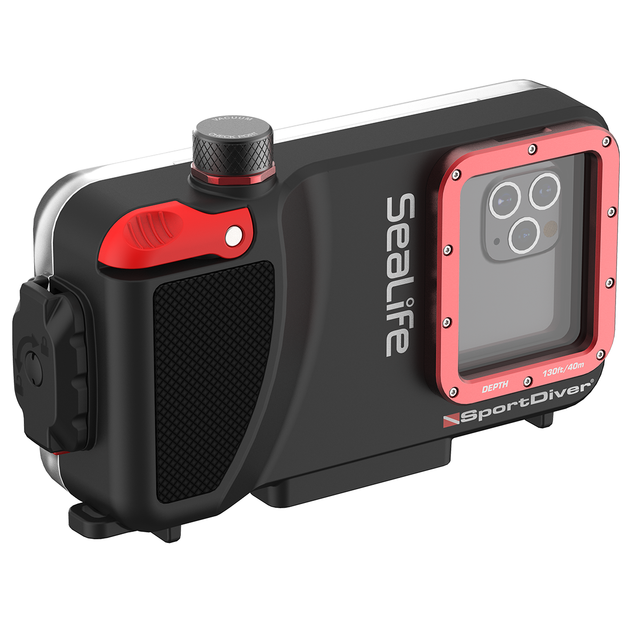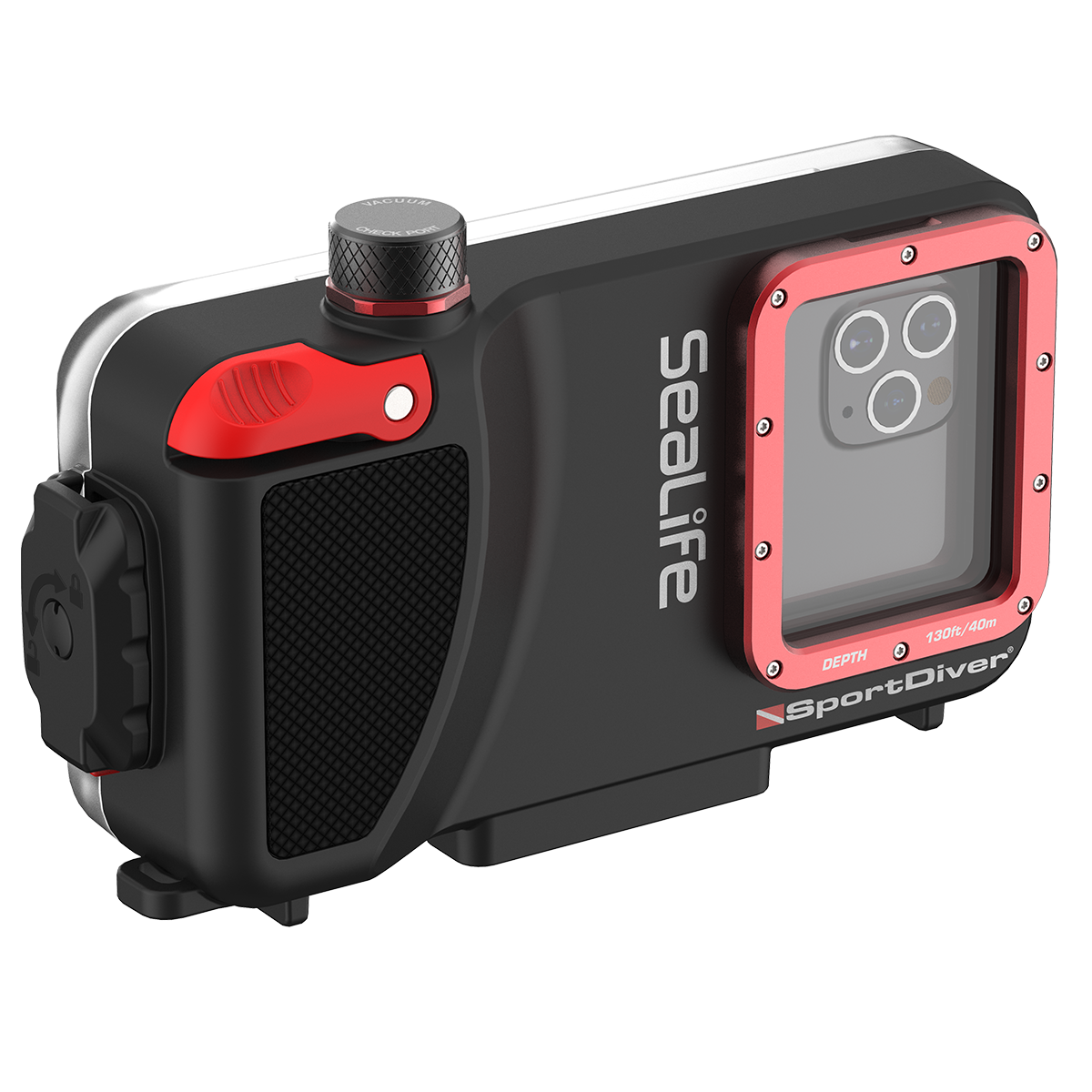
SeaLife SportDiver Underwater Housing for iPhone®
SeaLife SportDiver Underwater Housing for iPhone® is backordered and will ship as soon as it is back in stock.
Pickup currently unavailable at 23D

-
DiveCatalog.com Quick Dry Multi Accessory Dive Gear Hanger for Boots, Gloves, Hood
$22.95$2.30
-
DiveCatalog Comfo-Bite Silicone Mouthpiece for Scuba Diving Regulators Black
$19.95$2.00
-
DiveCatalog Essentials - BCD and Regulator Hanger for Scuba Diving
$19.95$2.00
-
DiveCatalog Scuba Essentials - Wetsuit Hanger for Scuba Diving, Snorkeling, and Surfing
$19.95$2.00
-
DiveCatalog.com Underwater Pointer Tool
$18.95$1.90


-
DiveCatalog Hose Clamp for Scuba Diving - Scuba Essentials
$17.95$1.80
-
DiveCatalog Neoprene Mask Strap Cover
$17.00$1.70
-
DiveCatalog.com Basic Black Silicone Snorkel
$14.95$1.50
-
DiveCatalog Silicone Scuba Octopus Mouthpiece with Color Tab & Regulator Tie – Comfortable, Leak-Free Dual Color
$14.95$1.50
-
DiveCatalog Silicone Mouthpiece Replacement w/ installation - Scuba Essentials
$14.95$1.50
-
DiveCatalog.com Regulator Necklace
$11.95$1.20
-
DiveCatalog.com Water Activated LED Signal Light - Green
$11.95$1.20
-
DiveCatalog x Stream2Sea Mask Defog, Flip Cap Bottle, 2 oz
$9.95$1.00
-
DiveCatalog Fin Strap and Scuba Dive Accessory Holder Scuba Accessory Essentials
$9.95$1.00
-
DiveCatalog.com Dry Box with Lanyard
$9.95$1.00
-
DiveCatalog x Stream2Sea Mask Defog Spray, 2 oz
$9.95$1.00
-
DiveCatalog Female Quick Release Clip with Bungee cord for Scuba Accessory Essentials
$8.99$0.90
-
DiveCatalog.com Fin Holder
$7.95$0.80
-
DiveCatalog.com Scuba Mouthpiece Cover
$7.95$0.80
-
Multi-Purpose Clip with Male and Female Quick Release Clip and Bungee Cord Scuba Accessory Essentials by DiveCatalog
$5.95$0.60
-
DiveCatalog Scuba Essentials - PVC Tank Valve Protector for Scuba Diving Tanks
$5.95$0.60
-
Whistle with Lanyard in Orange by DiveCatalog
$5.00$0.50
-
DiveCatalog.com Stainless Steel 2 Inch Webbing Keeper with Serrated Teeth Weights
$1.95$0.20
-
DiveCatalog.com Weight Keeper Stopper - Black
$1.45$0.15


Payment & Security
Payment methods
Your payment information is processed securely. We do not store credit card details nor have access to your credit card information.
Product Information
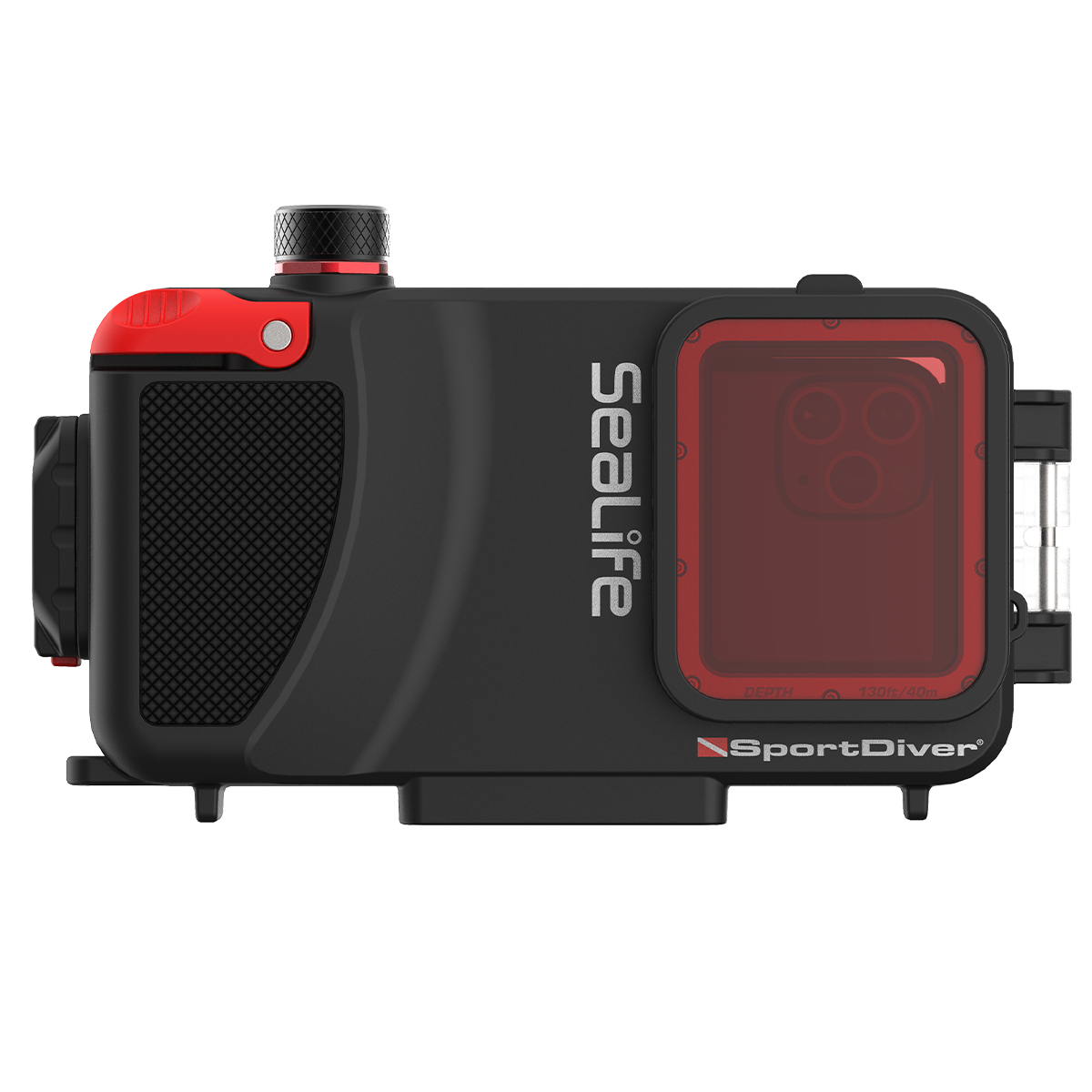
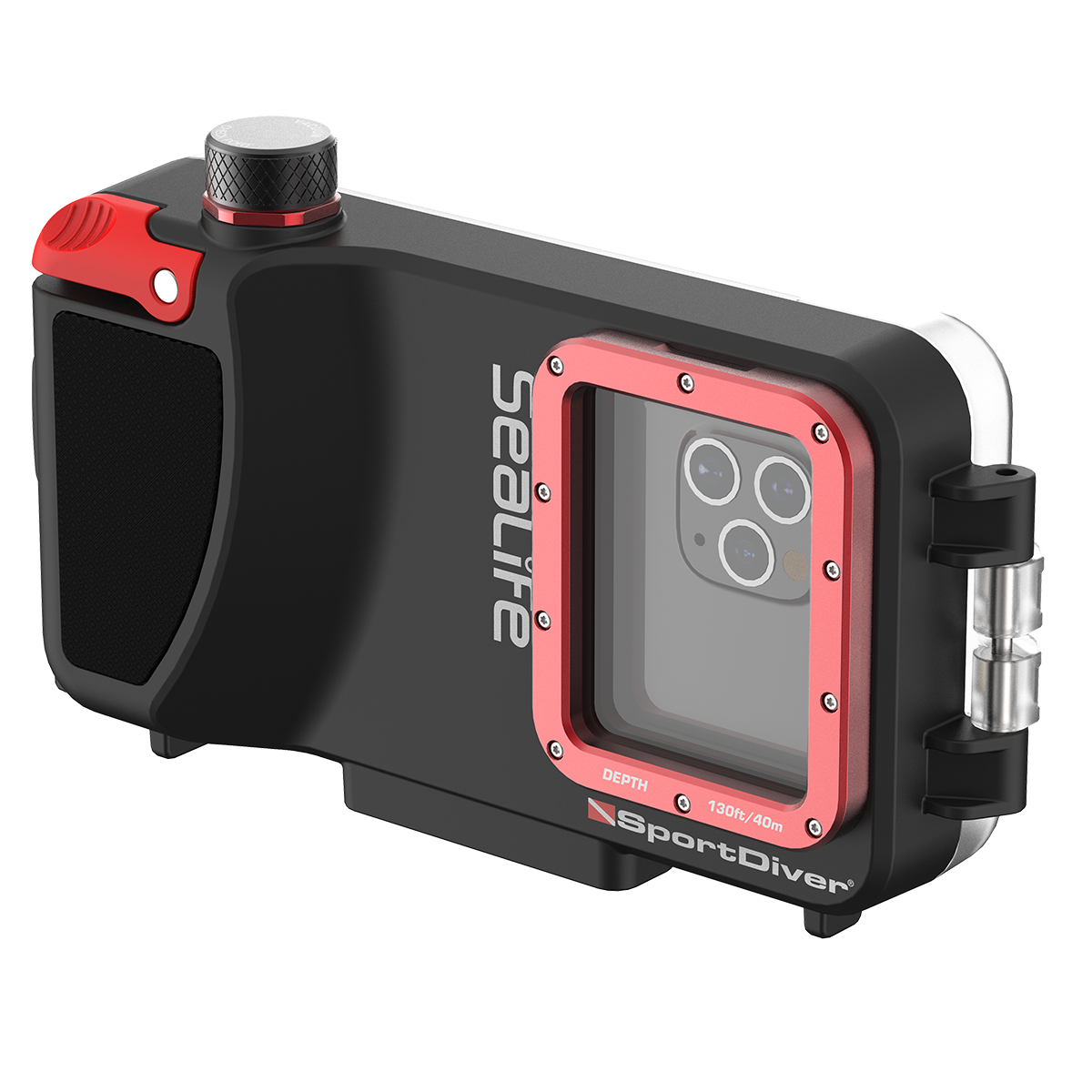
The SeaLife SportDiver is a compact and lightweight underwater housing for smartphones. The SportDiver housing will allow divers to take photos and video with their smartphone down to 130 feet or 40 meters. The SportDiver can encase most Android models and all iPhones from iPhone 11 through iPhone 18 Pro. The iPhone 17 Pro Max and iPhone 18 Pro Max are too large for this housing and require the SeaLife SportDiver ULTRA housing. The free SportDiver App is available at the App Store or Play Store, and works with the current and prior generation of the OS. Please review our SportDiver compatibility checker and fit guide.
The heavy-duty housing is constructed of Polycarbonate, stainless steel, aluminum and optical grade glass. And while the SportDiver housing is “heavy duty”, it is not heavy, weighing less than 1.5 pounds (641 grams), and is lightweight for travelling and offers almost neutral buoyancy in water depending on which smartphone model is used.
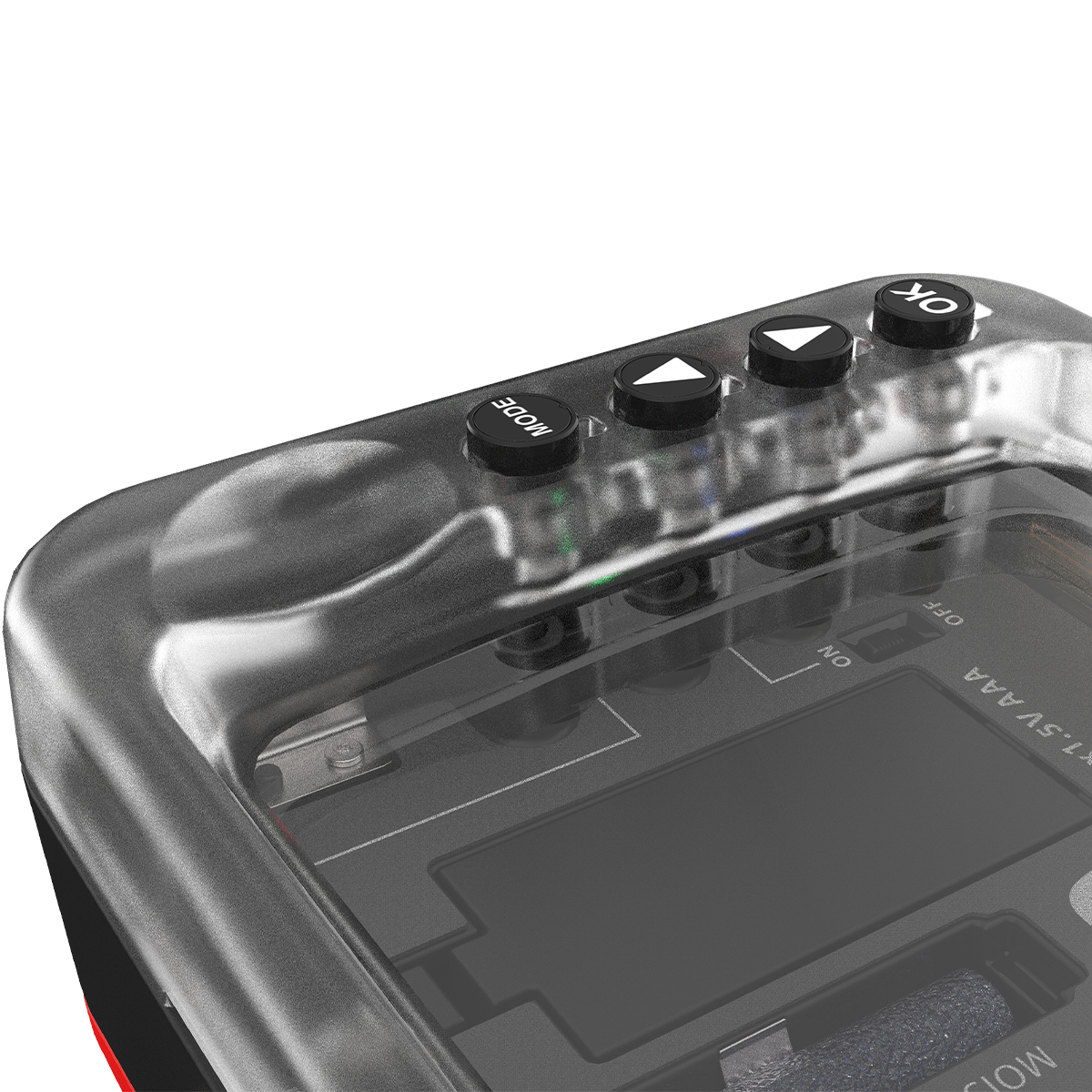
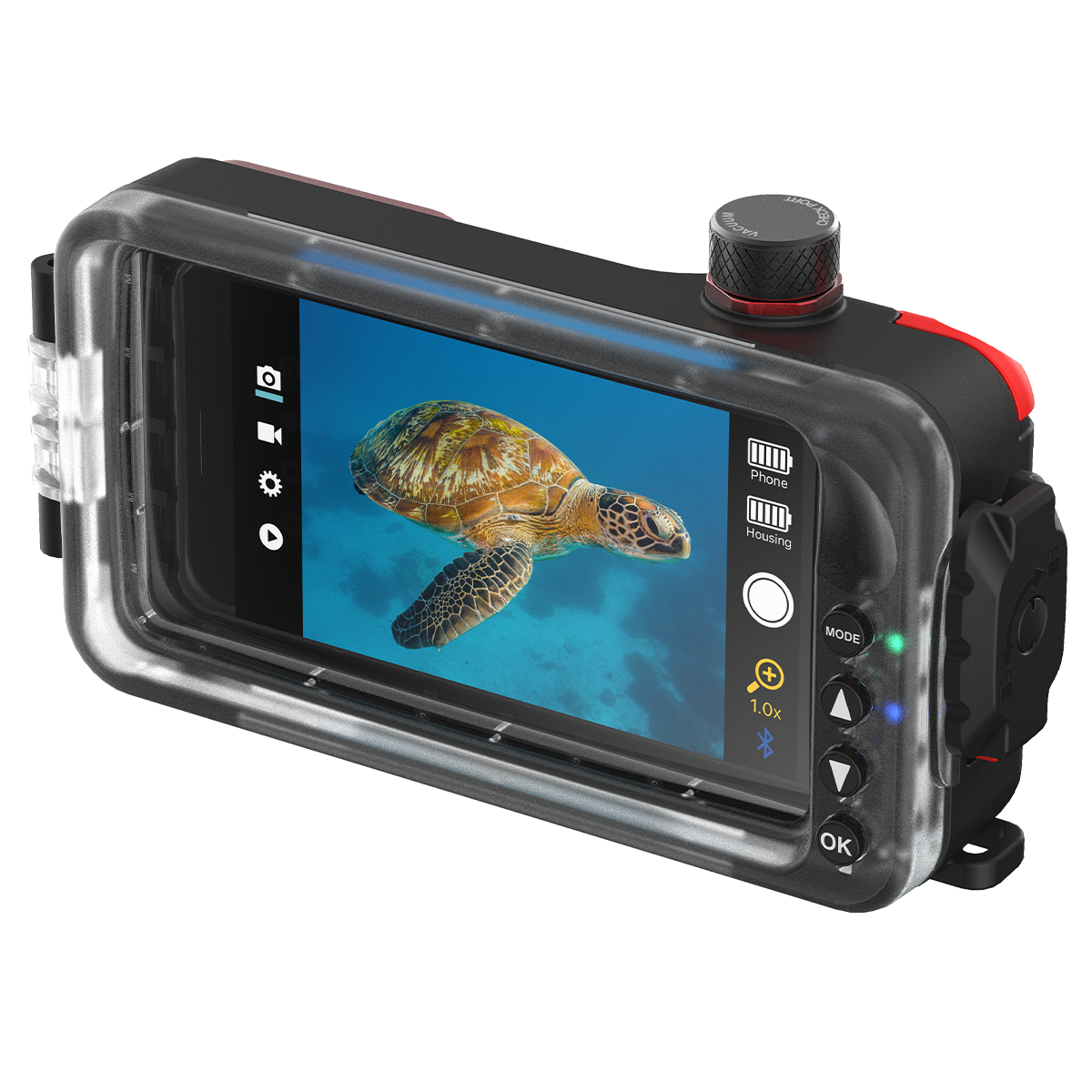
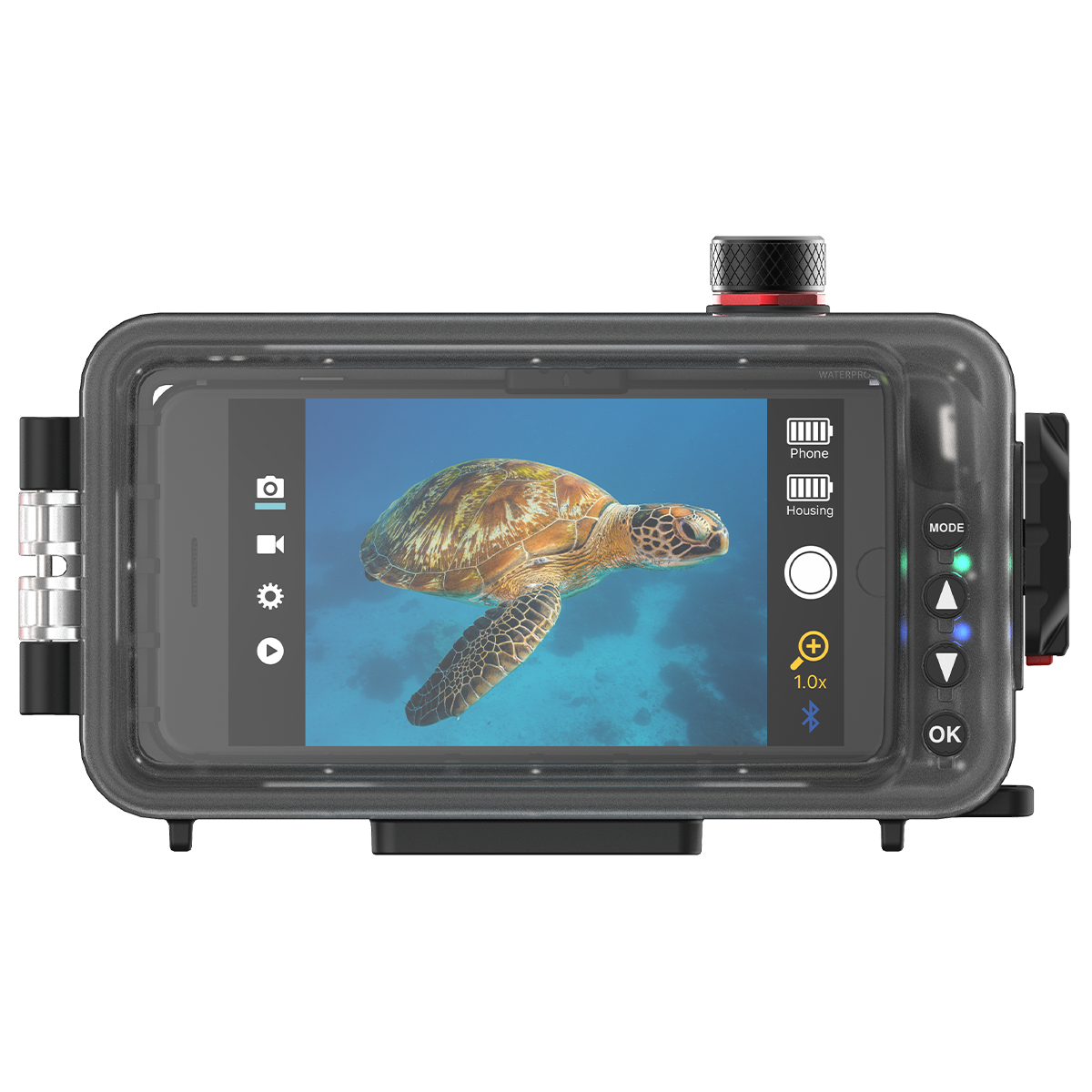
The SportDiver is easy to hold and use and offers a large shutter lever and rear control buttons for easy operation, even with dive gloves. Snorkelers and Divers can get more creative with their photos or video shot by using advanced camera settings*. Adjust Zoom, Exposure (EV), Auto/Manual Focus, White Balance, Tint, Lens selection, RAW+JPEG mode, Live Photo and Background Blur (on available phone models).
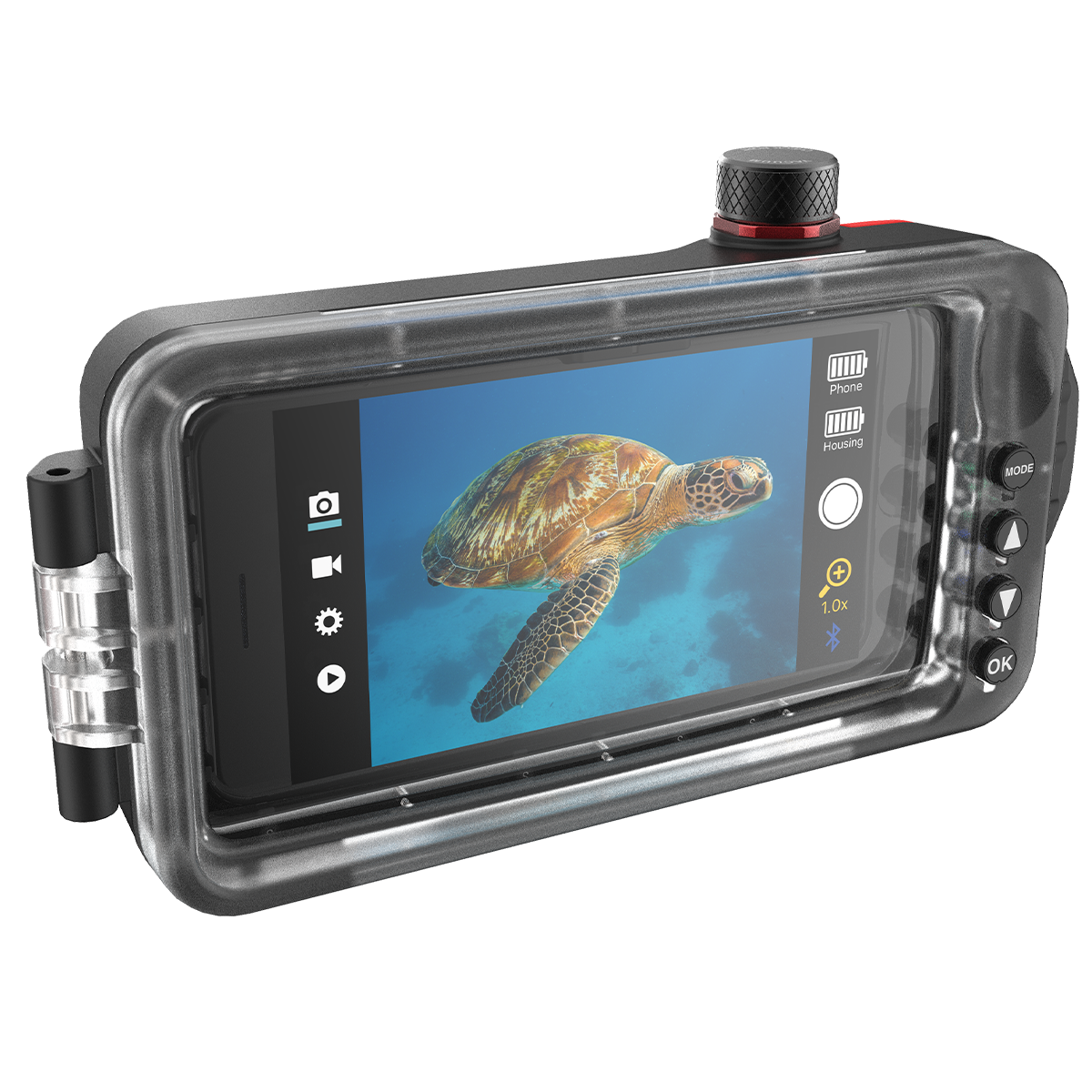
The SportDiver housing includes the free SportDiver app, unlike other smartphone housing apps, there are no annoying in-app purchases or ads. You can easily switch between photo and video mode. The SportDiver App uses your phone’s camera technology native to each phone model. The app supports the present and previous versions of OS, the app is updated according to new versions of the OS.
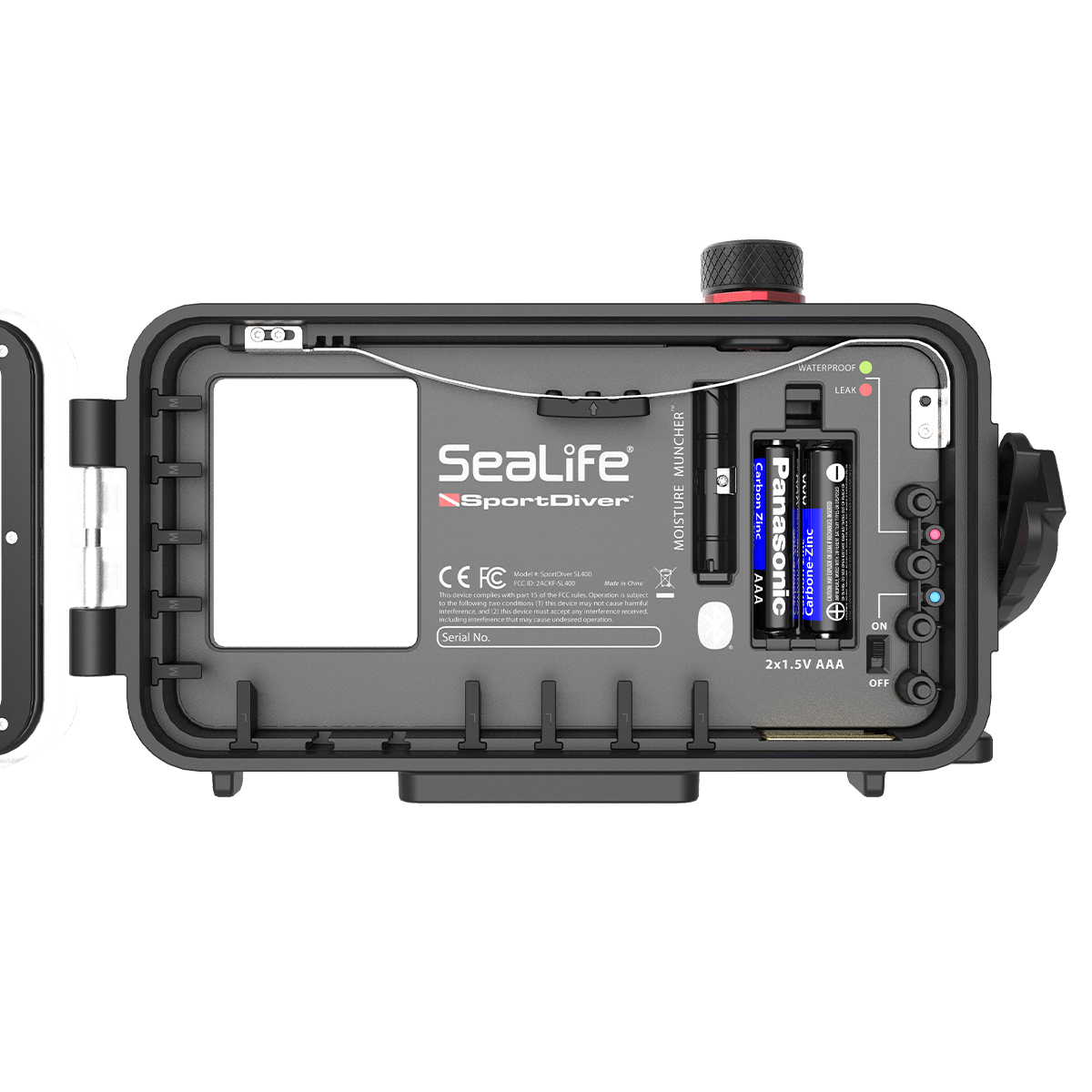
The App Playback mode shows full size photos and videos with vertical thumbnail strip to easily locate your images. Videos start playing automatically when selected. All files are also saved to the phone’s camera roll. The SportDiver housing automatically connects to your smartphone and the SportDiver app using Bluetooth® Low Energy (LE) 5 wireless technology. No cables or buttons touch the phone and offers ultra-low power consumption for both the phone and the housing which is powered by two AAA batteries that last over 50 hours of continuous use.
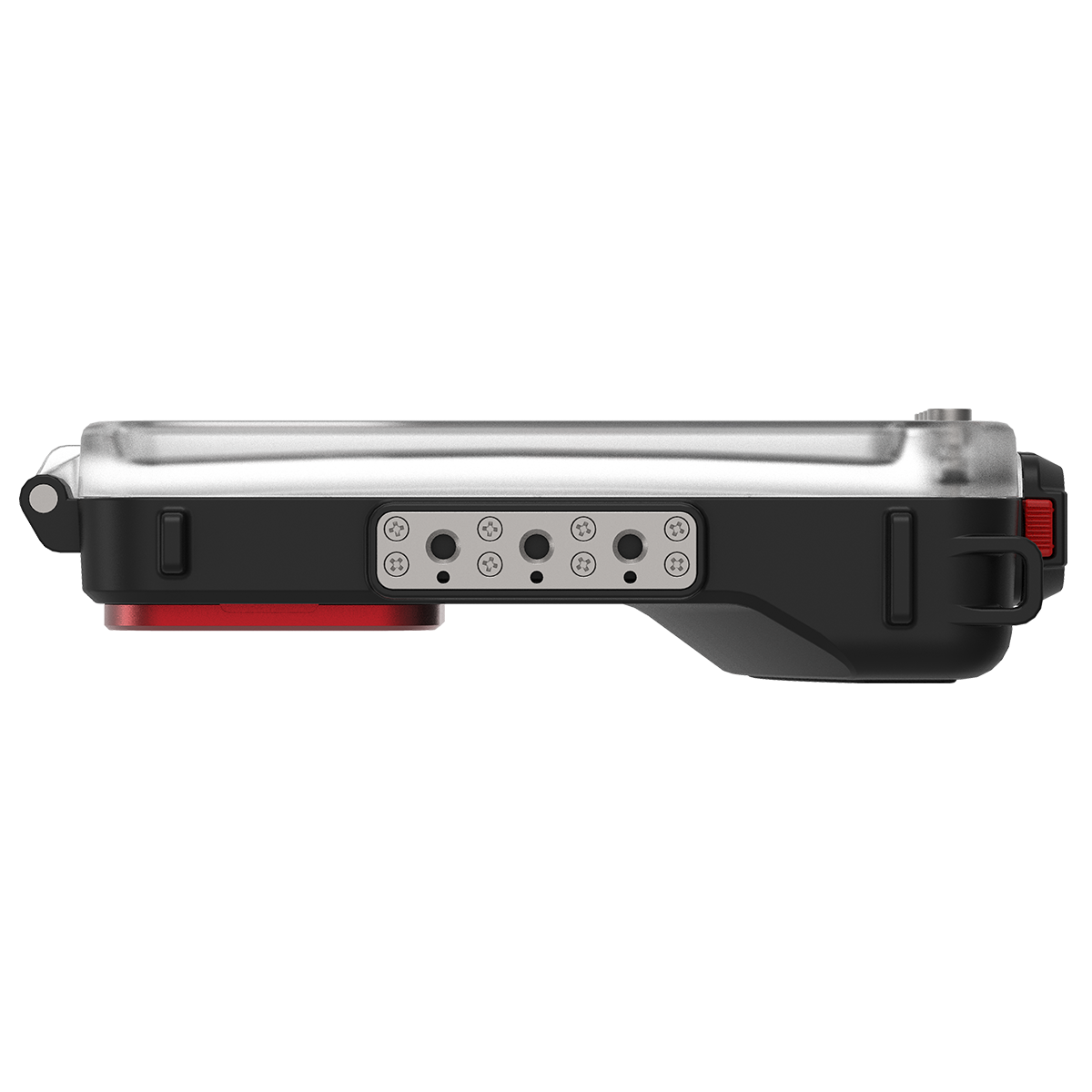
For enhanced imaging results, a removable underwater color-correction filter is included with the SportDiver which restores natural underwater colors. The filter easily attached or removes underwater and includes a safety tether to prevent loss. The SportDiver housing features triple 1/4-20 tripod mounts which mounts to any light or light tray with standard tripod threads such as SeaLife’s range of Sea Dragon underwater photo/video lights.
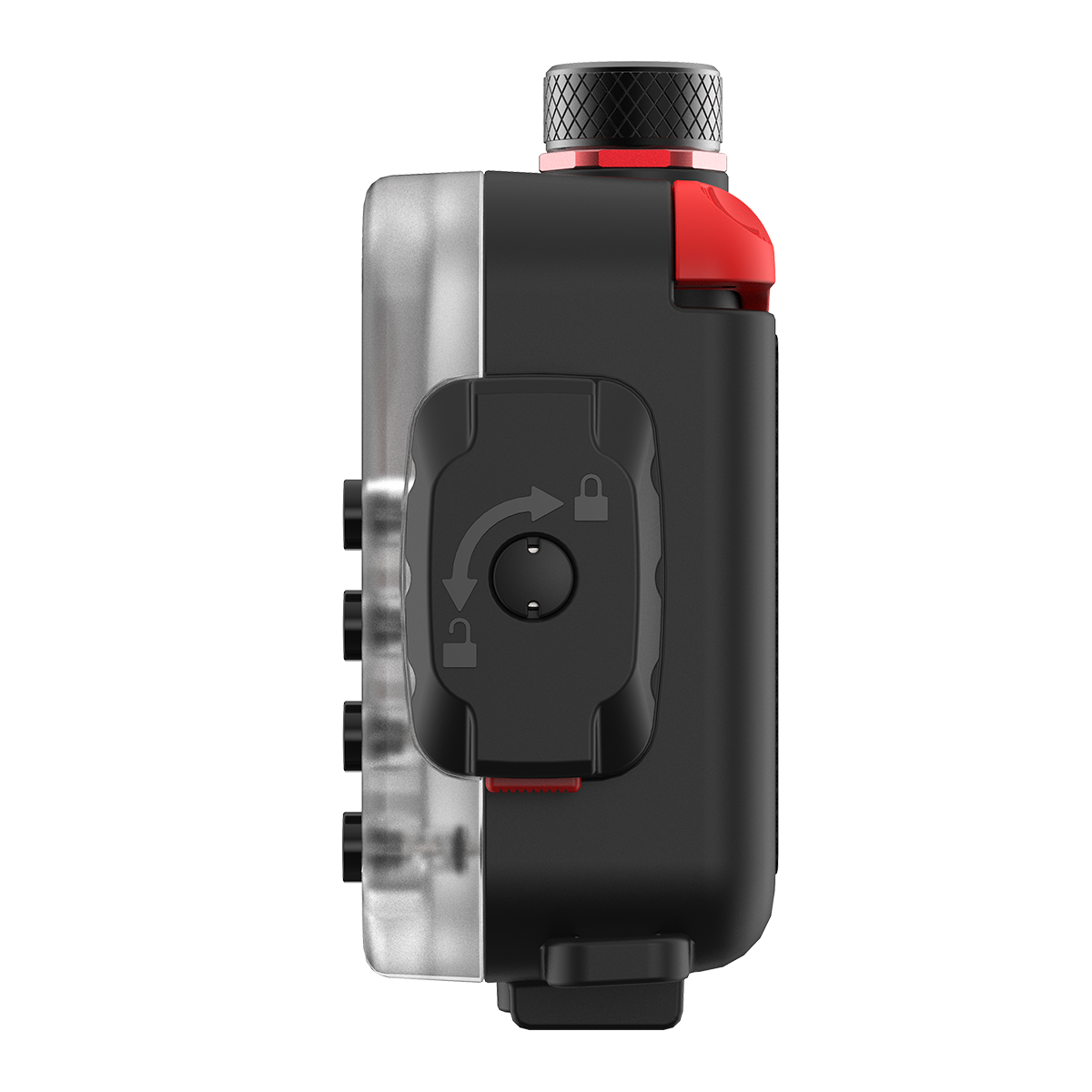
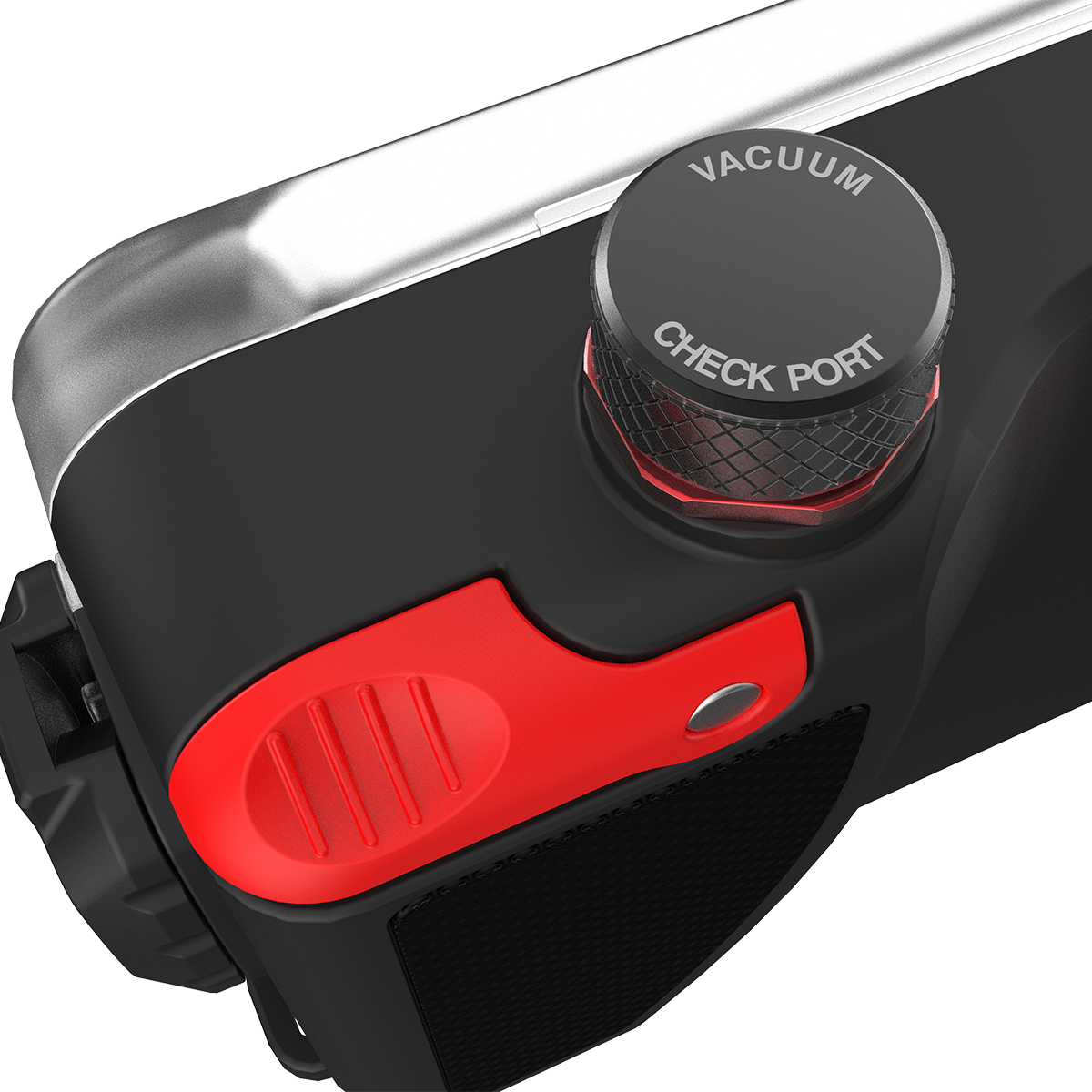
For the phone’s safety and protection, the SportDiver has a sturdy holding spring and rubber grip tabs that securely hold the smartphone in place and add shock-protection. The SportDiver has “Dual Leak Alarms” which include an internal moisture alarm and a vacuum pressure alarm which alert the diver with on-screen warnings, audio and LED signal in the unlikely event the waterproof seal is compromised and there’s a loss of housing pressure or moisture is detected. The door of the SportDiver is sealed with a TPE O-ring and a robust cam-lock sealing latch that easily and securely locks waterproof door. To prevent interior fogging from residual moisture, the SportDiver uses the anti-fogging agent “Moisture Muncher” capsule which prevents fogging and internal condensation.
*Important: Some settings may not be available depending on the phone make/model. Settings may be blocked out or not accessible depending on conflicting settings. For example, Portrait (background blur) setting is only available with multi-lens iPhones. Lens selection setting may not include all available phone lenses; the telephoto lens not available for Android phones. Check the App Store and Play store for SportDiver app updates.
⚠️ WARNING: This product contains chemicals known to the State of California to cause cancer, birth defects, or other reproductive harm. For more information, visit www.P65Warnings.ca.gov.
Frequently Asked Questions
How do I check an underwater housing's seal before a dive?
Before every dive, open the housing somewhere clean and dry, inspect and wipe the main o-ring and its groove, and close it with nothing trapped in the seal, because a single hair or grain of sand is enough to flood it. Confirm every latch is fully closed and that any vacuum or leak alarm reads correctly. Where you can, soak the sealed housing in a rinse tank or hang at the surface before descending, so a leak shows up before depth.
How do I care for housing o-rings?
Remove the main o-ring regularly with a plastic tool rather than anything metal, which can nick the groove, and clean both the o-ring and the groove with a lint-free cloth. Apply a thin film of the silicone grease the manufacturer specifies, since grease helps the o-ring seat and slide rather than sealing by itself, and a thick coat only collects grit. Replace o-rings on the schedule in the manual, or sooner if they look flattened, cut, or dry.
What do moisture alarms and desiccant packs do?
A moisture alarm is a sensor inside the housing that beeps or flashes when it detects water, giving you a chance to abort the dive before the camera is ruined. Desiccant packs absorb humidity in the air sealed inside the housing, which prevents the port fogging as you descend into cooler water. Neither replaces a proper seal check, since they provide early warning and fog control rather than leak prevention.
How deep can I take an underwater camera housing?
Only as deep as its rated depth, which the manufacturer sets and publishes in the specifications, and it should never be exceeded even briefly. Depth ratings assume a housing in good condition with intact seals, so worn o-rings or a damaged port reduce the real margin. If your diving might take you deeper, choose a housing rated comfortably beyond your planned maximum depth.
Can I use a phone housing for scuba diving?
Only if the housing is specifically rated for the depth you plan to dive, because many phone cases are splash- or snorkel-rated rather than scuba-rated. Touchscreens generally do not respond underwater, so a diving phone housing needs mechanical buttons or another control method. A phone's own water-resistance rating is not a substitute for a housing, and any housing still needs seal checks and o-ring care.
How do I rinse a camera housing after diving?
Soak the closed, sealed housing in fresh water and work every button and dial while it is submerged so salt does not dry inside the control shafts. Let it dry completely, especially around latches and seams, before you open it, since opening a wet housing drips water straight onto the camera. Avoid opening a housing on a wet, moving boat deck whenever you have the option to wait.
What should I do if my housing floods?
Get the housing out of the water and open it somewhere dry, then immediately remove the camera's battery and memory card, because leaving a battery in a wet camera does more damage than the water itself. Do not power the camera on to check whether it still works. Dry everything gently away from direct heat, get salt-water-exposed equipment to a repair technician promptly, and inspect the housing to find which seal failed before you dive it again.