


Scubapro G2 Wrist Air-Integration Dive Computer Unit Only
In stock — ships from Irvine, CA
This item is currently on backorder. Order now to reserve yours, and we will ship it as soon as it is back in stock.
Scubapro G2 Wrist Air-Integration Dive Computer Unit Only is backordered and will ship as soon as it is back in stock.
Pickup available at In Store
Usually ready in 2 hours


-
DiveCatalog.com Silicone Frameless Dive Mask
$59.95$6.00
1 -
DiveCatalog.com Retro Oval Dive Mask Without Nose Pocket Compensator
$44.95$4.50
1 -
DiveCatalog.com Classic Oval Dive Mask Silicone
$44.95$4.50
1 -
DiveCatalog.com Metal Coil Lanyard with Snap Clips
$39.95$4.00
1 -
DiveCatalog.com Junior Rubber Oval Dive Mask (15% smaller)
$34.95$3.50
1


-
DiveCatalog.com Compact Dive Knife
$34.95$3.50
1 -
DiveCatalog.com Auto Lock Retractor 90cm - Black
$34.95$3.50
1 -
DiveCatalog.com Dive Retractor
$34.95$3.50
1 -
DiveCatalog Dive Essentials - Auto-Rebound Style Retractor
$39.95$4.00
1 -
DiveCatalog Quick Release Coil Lanyard with Buckle Scuba Essentials
$29.95$3.00
1 -
DiveCatalog.com Air Gun - Blue
$27.95$2.80
1 -
DiveCatalog.com Folding Dive Knife
$32.95$3.30
1 -
DiveCatalog.com Diving Double Layer Slate Palm Size (5x7.25") with Pencil
$26.95$2.70
1 -
DiveCatalog.com Line Cutter
$24.95$2.50
1 -
DiveCatalog.com Semi-Dry Snorkel
$23.95$2.40
1 -
DiveCatalog.com Nylon Weight Belt
$22.95$2.30
1 -
DiveCatalog.com Finger Reel with Bolt Snap
$26.95$2.70
1 -
Nocturnal Lights Adjustable Goodman Handle with 1 / 4 Mounting Points HM.GM
$47.99$4.80
1 -
Nocturnal Lights Triple Ball Joint Clamp standard 1 balls BJCLAMP.TRIPLE
$27.99$2.80
1 -
Nocturnal Lights Ball Joint Clamp fits all standard 1 balls BJCLAMP.DOUBLE
$23.99$2.40
1 -
Nocturnal Lights T-base Connector for Ikelite quick release handles TBASE.IKEQR
$23.99$2.40
1 -
Nocturnal Lights YS Arm Adapter for M700 Lights ADP.M7YS
$19.99$2.00
1 -
Nocturnal Lights Ball Joint Adapter for Underwater Ball Joint Arm Strobe and Lighting Systems
$19.99$2.00
1 -
Nocturnal Lights 45 Degree Ball Joint Adapter with T-base Slot BJADAPTER.TBASE45
$18.99$1.90
1 -
Nocturnal Lights 90 Degree Ball Joint Adapter with T-base Slot BJADAPTER.TBASE90
$15.99$1.60
1


Payment & Security
Payment methods
Your payment information is processed securely. We do not store credit card details nor have access to your credit card information.
Save with Open Box or Used Purchase

Used Scubapro G2 Wrist Air-Integration Dive Computer Unit Only
Sale price $839.20 Regular price $1,026.00Unit price

Save with a package
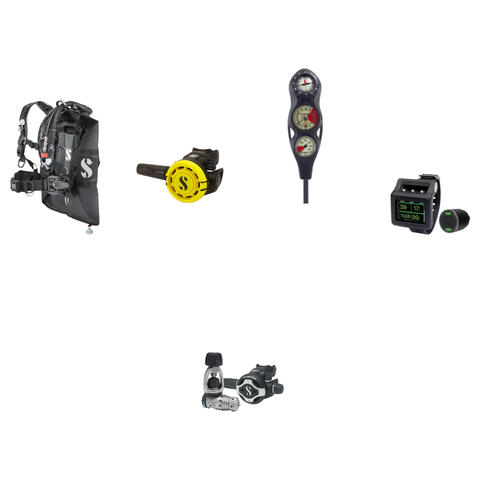
Ready-made packages that include this item

Product Information
The Scubapro G2 Wrist Dive Computer (Unit Only) is a wrist-mounted dive computer with a 2.2 inch full-color TFT display, a 120 meter depth rating, and support for up to 8 gas mixes from 21 to 100% nitrox and trimix, built to run recreational and technical profiles on a single device.
Who it is for
The G2 is designed for divers of all skill levels who want one computer across different styles of diving. It offers Scuba, Freediving, Gauge, CCR, and Sidemount dive modes, so a diver can move from open-water recreational dives to closed-circuit or sidemount configurations without switching devices. Optional hoseless air integration and an optional heart rate monitor add cylinder-pressure and physiological data for divers who want more detail on their dive.
Key details
- Display: full-color TFT LCD, 2.2 inch (5.6 cm), 320 x 240 pixels, with four configurable screen modes (Light, Classic, Full, Graphical)
- Depth rating: 120 meters (394 ft)
- Algorithm: ZH-L16 ADT MB PMG, with adaptive, microbubble, and predictive multi-gas features
- Gas support: up to 8 gases, 21 to 100% nitrox and trimix
- Memory: 485 MB, storing up to 1,000 hours of dive profiles, tables, and tissue data
- Battery: rechargeable, up to 50 hours per charge, dealer-replaceable
- Connectivity: Bluetooth Low Energy and USB, compatible with LogTRAK software for PC and Mac
- Compass: full-tilt digital compass with bearing memory
- Controls: 3 buttons
Compatibility and sizing
This listing is the G2 computer only. Hoseless air integration is optional and, when added, supports up to 11 wireless transmitters. The optional heart rate monitor (HRM) accessory measures heartbeat and skin temperature. Dive log data downloads to a computer via USB or Bluetooth Low Energy using Scubapro's LogTRAK software.
What's in the box
- G2 Computer
- Retractor Loop
- Protection Film
- USB Cable G2
- Armstrap axle G2
DiveCatalog.com is an authorized Scubapro dealer and a dive shop in Irvine, California, serving divers since 2003. Call 888-701-4017 or chat with us if you have questions about fit, air-integration transmitter compatibility, or other accessories for the G2.
- Full-color display: 2.2 inch (5.6 cm) TFT LCD, 320 x 240 pixels, with four configurable screen modes.
- Multi-gas support: Up to 8 gases, 21 to 100% nitrox and trimix.
- Predictive algorithm: ZH-L16 ADT MB PMG with adaptive, microbubble, and predictive multi-gas features.
- Multiple dive modes: Scuba, Freediving, Gauge, CCR, and Sidemount.
- Depth and memory: Rated to 120 meters (394 ft) with 485 MB of onboard memory for dive logging.
- Rechargeable battery: Delivers up to 50 hours of runtime per charge and is dealer-replaceable.
- Optional air integration: Hoseless, supporting up to 11 wireless transmitters when added.
- Optional heart rate monitor: Measures heartbeat and skin temperature during a dive.
- Digital compass: Full-tilt design with bearing memory.
- Data download: USB and Bluetooth Low Energy connectivity, compatible with LogTRAK software.
| Display Type | Full-color TFT LCD, 2.2 in (5.6 cm), 320 x 240 pixels |
| Screen Modes | Light, Classic, Full, Graphical |
| Number of Control Buttons | 3 |
| Max Operating Depth | 120 m (394 ft) |
| Number of Gases | 8 |
| Gas Capability | 21-100% Nitrox, Trimix |
| Algorithm | ZH-L16 ADT MB PMG |
| Algorithm Features | Adaptive Algorithm, Microbubbles, Predictive Multi-Gas, PDIS |
| Dive/Sport Modes | Scuba, Freediving, Gauge, CCR, Sidemount |
| Built-In Compass | Full-tilt digital compass with bearing memory |
| Air Integration | Optional, hoseless, supports up to 11 transmitters |
| Heart Rate Monitor | Optional accessory; measures heartbeat and skin temperature |
| Connectivity | Bluetooth Low Energy, USB |
| Battery Replacement Type | Rechargeable, dealer-replaceable |
| Estimated Battery Life | Up to 50 hours per charge |
| Memory Capacity | 485 MB (up to 1,000 hours of dive data) |
| SKU/Part Number | 05.080.101 |
- G2 Computer
- Retractor Loop
- Protection Film
- USB Cable G2
- Armstrap axle G2
⚠️ WARNING: This product contains chemicals known to the State of California to cause cancer, birth defects, or other reproductive harm. For more information, visit www.P65Warnings.ca.gov.
Frequently Asked Questions
Why do I need my own dive computer?
A dive computer tracks the actual depth and time profile you have dived and the tissue loading that follows from it, which is personal to you. A rented computer has no record of your recent diving, and swapping models each trip means relearning the display and menus when you should be focused on the dive. Owning one you know well is a genuine safety and comfort improvement.
Can two divers share one dive computer?
No. A computer only tracks the profile of the diver actually wearing it, and even buddies who stay together do not follow identical depth and time profiles. Every diver needs their own computer, and passing one between divers or between dives is unsafe.
What does conservatism mean on a dive computer?
Conservatism settings make the computer's calculations more cautious, shortening allowed bottom times and adding margin beyond the base algorithm. Divers commonly add conservatism for factors such as cold, hard work, fatigue, or repetitive multi-day diving. How and when to adjust it is covered by your training and your computer's manual, so set it before you get in the water and follow what your computer tells you during the dive.
What kind of battery does a dive computer use?
Broadly there are two types: user-replaceable batteries, often a coin cell that you or a shop swap along with resealing an o-ring, and sealed rechargeable batteries that charge from a cable or dock. Neither is universally better, as replaceable cells are convenient on remote trips while rechargeables avoid ever opening the case. Follow the manual exactly for any battery change, because an improperly seated o-ring or case is the usual cause of a flooded computer.
Do I need to do anything special for altitude diving or flying after diving?
Yes, both change the picture, and both are governed by your training agency's guidance and your computer's instructions rather than any casual rule of thumb. Many computers have an altitude setting that must be configured before diving at elevation, and most display a no-fly or surface-interval countdown after a dive. Follow your computer and your training, and ask a dive professional or a dive-medicine specialist if you are unsure.
How do I care for a dive computer?
Rinse it in fresh water after every dive day, paying attention to the buttons and around any sensor openings where salt crystals form, and let it dry fully before storing. Keep it out of prolonged direct sun and extreme heat, and avoid pressing buttons while sand is on the case. Inspect the strap or bungee often, because a failed strap loses far more computers than a failed computer does.
What is the difference between wrist, console, and air-integrated dive computers?
A wrist computer is worn like a watch and read by raising your arm, while a console computer sits at the end of a hose with your other gauges. Air integration means the computer also displays cylinder pressure, either through a hose or from a wireless transmitter on the first stage, and often estimates remaining gas time. All of them run a decompression algorithm, so the real difference is where you read the information and how much of it you get.
Does the Scubapro G2 Computer Only come with an air-integration transmitter?
No. This listing is the G2 computer only; it does not include a wireless transmitter. Hoseless air integration is an optional feature of the G2 platform and, when added, the computer can support up to 11 wireless transmitters.
What dive modes does the Scubapro G2 support?
The G2 offers five dive modes: Scuba, Freediving, Gauge, CCR, and Sidemount. This lets one computer cover recreational open-water diving as well as closed-circuit rebreather and sidemount configurations without switching devices.
What is included with the Scubapro G2 Computer Only?
The box includes the G2 Computer, a retractor loop, a protection film, a USB cable, and an armstrap axle. Air-integration transmitters and the heart rate monitor accessory are sold separately and are not part of this unit-only package.
How do I download dive logs from the Scubapro G2?
The G2 transfers dive log data to a computer using either its USB cable or Bluetooth Low Energy connection. Downloaded data is managed through Scubapro's LogTRAK software, which runs on both PC and Mac.
