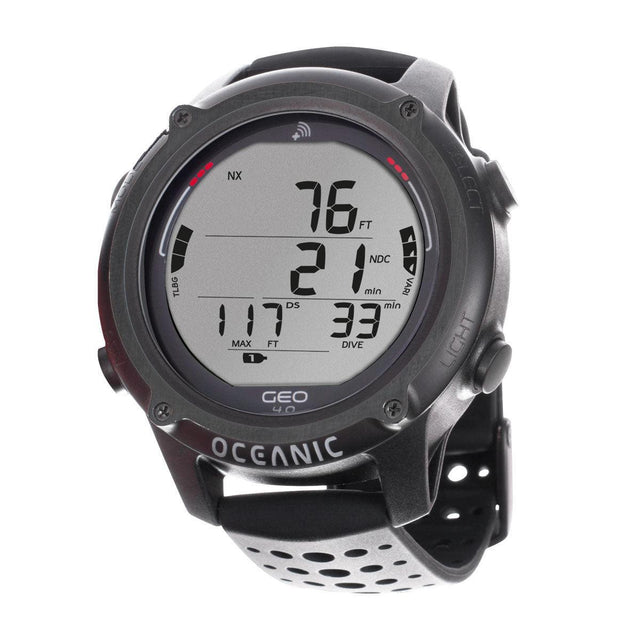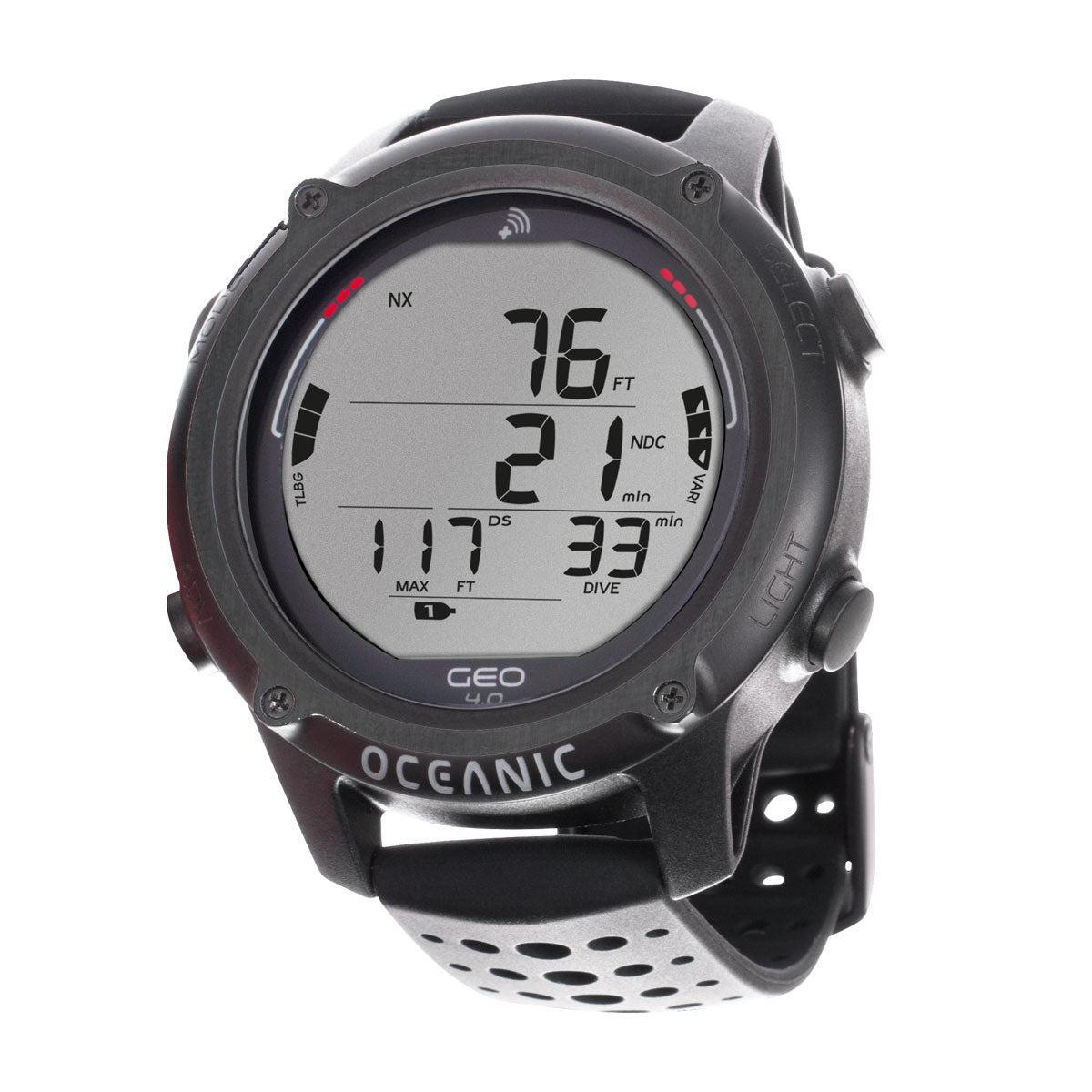


Oceanic GEO 4.0 Wrist Dive Computer
Oceanic GEO 4.0 Wrist Dive Computer - Black is backordered and will ship as soon as it is back in stock.
Pickup currently unavailable at In Store

-
DiveCatalog Moldable Mouthpiece w/ installation for Regulators
$34.95$3.50
1 -
DiveCatalog.com Upside Down Drysuit Hanger w/ Regulator and Accessory Hooks
$29.95$3.00
1 -
DiveCatalog.com Universal Dive Gear Hanger with Accessory Arms fits Wetsuits, Drysuits, BCDs, Backpacks
$29.95$3.00
1 -
DiveCatalog.com Small Retractor
$24.95$2.50
1 -
DiveCatalog.com Heavy Duty Wetsuit and Drysuit Hanger with Extra Wide Shoulder Saver
$22.95$2.30
1


-
DiveCatalog.com Quick Dry Multi Accessory Dive Gear Hanger for Boots, Gloves, Hood
$22.95$2.30
1 -
DiveCatalog Scuba Essentials - Wetsuit Hanger for Scuba Diving, Snorkeling, and Surfing
$19.95$2.00
1 -
DiveCatalog Essentials - BCD and Regulator Hanger for Scuba Diving
$19.95$2.00
1 -
DiveCatalog.com Underwater Pointer Tool
$18.95$1.90
1 -
DiveCatalog Anti-Fatigue Soft Bite Regulator and Octo Mouthpiece
$17.95$1.80
1 -
DiveCatalog.com Basic Black Silicone Snorkel
$14.95$1.50
1 -
DiveCatalog.com Regulator Necklace
$11.95$1.20
1 -
DiveCatalog.com Water Activated LED Signal Light - Green
$11.95$1.20
1 -
DiveCatalog x Stream2Sea Mask Defog, Flip Cap Bottle, 2 oz
$9.95$1.00
1 -
DiveCatalog.com Dry Box with Lanyard
$9.95$1.00
1 -
DiveCatalog x Stream2Sea Mask Defog Spray, 2 oz
$9.95$1.00
1 -
DiveCatalog.com Fin Holder
$7.95$0.80
1 -
Nocturnal Lights Buoyancy / Protective Sleeve for SLX 800XI
$24.99$2.50
1 -
Nocturnal Lights Buoyancy & Protective Sleeve for the SLX Underwater LED Lights
$19.99$2.00
1 -
Nocturnal Lights Large Hand Mount with 1.75-2 Light Slot HM.LG
$19.99$2.00
1 -
Nocturnal Lights Medium Hand Mount with 1.385-1.625 Light Slot HM.MED
$19.99$2.00
1 -
Nocturnal Lights Small Universal Hand Mount with Two 1-1.25 Slots HM.SM
$19.99$2.00
1 -
Nocturnal Lights 2 YS Flex Arm Extra Short FLEXARM.YS2
$15.99$1.60
1 -
Nocturnal Lights 7 Ultra Slim Underwater Camera Tray TRAY.SLIM5
$3.99$0.40
1


Payment & Security
Payment methods
Your payment information is processed securely. We do not store credit card details nor have access to your credit card information.
Product Information
The Oceanic Geo 4.0 is a wrist dive computer built for divers who want a sporty, everyday-wearable computer with smartphone connectivity, Oceanic's Dual Algorithm (DSAT and Pelagic Z+), and Bluetooth 4.0 pairing to the free DiverLog+ App. It operates in Watch, Air & Nitrox, Gauge, and Freedive modes, making it usable as a primary dive computer or a daily watch.
Who it is for
The Geo 4.0 suits new and experienced divers who want one computer for recreational scuba, gauge diving, and freediving, plus the convenience of managing dive data on a phone. Its updated display with a wider font and larger digits is built for on-the-fly readability, and the five interchangeable color straps let a diver match the watch to other gear or switch looks without buying a second unit.
Key details
- Bluetooth 4.0 connects to the free DiverLog+ App on iOS and Android smartphones for pre-dive planning and post-dive log management.
- Dual Algorithm technology lets a diver choose between DSAT and Pelagic Z+.
- Maximum algorithm depth of 100 m, altitude adjustment from 610 to 4200 m, and variable decompression rates of 3.3 to 9 m/min and 6.4 to 18 m/min.
- Nitrox capability from 21 to 100 percent with 2 changeable Nitrox mixes, 12 tissue compartments, and visual and acoustic alarms.
- User-replaceable battery rated at 300 hours, with auto firmware updates and water activation plus push-button activation.
- Logs 24 dives or 99 freedives, and comes in Black or White with Blue, Yellow, and Sea Blue strap options also available.
Compatibility and sizing
The Geo 4.0 pairs over Bluetooth 4.0 to the DiverLog+ App on compatible iOS and Android smartphones. It is part of the same Bluetooth-enabled computer family as the Oceanic ProPlus 4.0 and Veo 4.0, and its strap can be swapped among five color options to match other Oceanic gear.
DiveCatalog.com is an authorized Oceanic dealer and a dive shop in Irvine, California since 2003. Call 888-701-4017 or chat with us if you have questions about strap fit, mode selection, or app compatibility before you buy.
- Bluetooth 4.0 connectivity pairs the Geo 4.0 to smartphones for app-based dive planning and log management.
- DiverLog+ App integration lets divers adjust dual Nitrox mixes, switch the Dual Algorithm, set gas mixes, user display, and alarms before and after a dive.
- Pre-dive planning includes alerts for time and depth and gas mix selection from a mobile device.
- Post-dive logging downloads the dive instantly, shows the most recent dive profile, and lets divers add photos and videos and filter logs by location, dive type, or depth.
- Dual Algorithm technology gives a choice between DSAT and Pelagic Z+.
- Updated XL display uses a wider font and larger digits than prior Geo models.
- Five interchangeable color straps let the watch be matched to other Oceanic gear.
- Four modes of operation cover Watch, Air & Nitrox, Gauge, and Freedive use.
- Nitrox support from 21 to 100 percent with 2 changeable gas mixes.
- User-replaceable battery rated at 300 hours of life.
- Digital decompression display with visual and acoustic alarms.
- 2-year warranty backs the computer.
| Modes of Operation | Watch, Air & Nitrox, Gauge, Freedive |
| Version | Wrist Watch |
| Bluetooth 4.0 | Yes |
| Color | Black, White (Blue, Yellow, Sea Blue straps also available) |
| Type | Decompression Model |
| Firmware Update | Auto |
| Maximum Algorithm Depth | 100 m |
| Altitude Adjustment | 610 to 4200 m |
| Decompression Capability | Variable, 3.3 to 9 m/min and 6.4 to 18 m/min |
| Activation | Water activation and push button |
| Decompression Display | Yes, digital |
| Back Light | LCD display |
| Alarms | Yes, visual and acoustic |
| Battery Replacement | User replaceable |
| Battery Life | 300 h |
| Log Entries | 24 dives / 99 freedives |
| Interface | Bluetooth connection to DiverLog+ |
| Nitrox | Yes, 21 to 100 percent |
| Changeable Gases | Yes, 2 Nitrox mixes |
| Algorithm | Dual Algorithm (Pelagic Z+ and DSAT) |
| Tissue Compartments | 12 |
| Console | No |
| Warranty | 2 years |
⚠️ WARNING: This product contains chemicals known to the State of California to cause cancer, birth defects, or other reproductive harm. For more information, visit www.P65Warnings.ca.gov.
Frequently Asked Questions
Why do I need my own dive computer?
A dive computer tracks the actual depth and time profile you have dived and the tissue loading that follows from it, which is personal to you. A rented computer has no record of your recent diving, and swapping models each trip means relearning the display and menus when you should be focused on the dive. Owning one you know well is a genuine safety and comfort improvement.
Can two divers share one dive computer?
No. A computer only tracks the profile of the diver actually wearing it, and even buddies who stay together do not follow identical depth and time profiles. Every diver needs their own computer, and passing one between divers or between dives is unsafe.
What does conservatism mean on a dive computer?
Conservatism settings make the computer's calculations more cautious, shortening allowed bottom times and adding margin beyond the base algorithm. Divers commonly add conservatism for factors such as cold, hard work, fatigue, or repetitive multi-day diving. How and when to adjust it is covered by your training and your computer's manual, so set it before you get in the water and follow what your computer tells you during the dive.
What kind of battery does a dive computer use?
Broadly there are two types: user-replaceable batteries, often a coin cell that you or a shop swap along with resealing an o-ring, and sealed rechargeable batteries that charge from a cable or dock. Neither is universally better, as replaceable cells are convenient on remote trips while rechargeables avoid ever opening the case. Follow the manual exactly for any battery change, because an improperly seated o-ring or case is the usual cause of a flooded computer.
Do I need to do anything special for altitude diving or flying after diving?
Yes, both change the picture, and both are governed by your training agency's guidance and your computer's instructions rather than any casual rule of thumb. Many computers have an altitude setting that must be configured before diving at elevation, and most display a no-fly or surface-interval countdown after a dive. Follow your computer and your training, and ask a dive professional or a dive-medicine specialist if you are unsure.
How do I care for a dive computer?
Rinse it in fresh water after every dive day, paying attention to the buttons and around any sensor openings where salt crystals form, and let it dry fully before storing. Keep it out of prolonged direct sun and extreme heat, and avoid pressing buttons while sand is on the case. Inspect the strap or bungee often, because a failed strap loses far more computers than a failed computer does.
What is the difference between wrist, console, and air-integrated dive computers?
A wrist computer is worn like a watch and read by raising your arm, while a console computer sits at the end of a hose with your other gauges. Air integration means the computer also displays cylinder pressure, either through a hose or from a wireless transmitter on the first stage, and often estimates remaining gas time. All of them run a decompression algorithm, so the real difference is where you read the information and how much of it you get.
Is the DiverLog+ App free to use with the Geo 4.0?
Yes, the DiverLog+ App is free and available in the app store for iOS and Android smartphones. It connects to the Geo 4.0 over Bluetooth 4.0 for pre-dive planning, such as setting gas mixes and alerts, and post-dive tasks, including downloading dive profiles and adding photos or videos to a log.
What color options does the Geo 4.0 come in?
The Geo 4.0 is listed in Black and White. Blue, Yellow, and Sea Blue strap options are also available, and the watch uses five interchangeable color straps so a diver can change its look or match other Oceanic gear without buying a second computer.
Can the Geo 4.0 be used for freediving?
Yes. The Geo 4.0 has a dedicated Freedive mode in addition to Watch, Air & Nitrox, and Gauge modes, and it logs up to 99 freedives alongside 24 scuba dives, so one computer can track both types of diving.
Will the Geo 4.0 connect to any smartphone?
The Geo 4.0 uses Bluetooth 4.0 to connect to smartphones running the free DiverLog+ App, available for iOS and Android. If you are unsure whether your specific phone model and OS version support the app, call 888-701-4017 and we can help confirm compatibility.