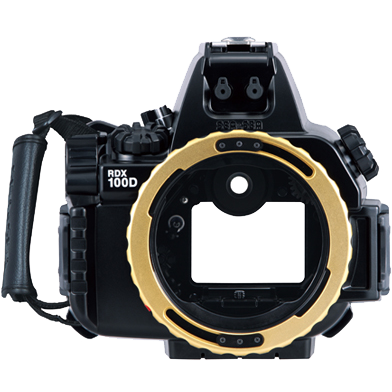
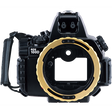
Sea & Sea RDX-100D Camera Housing
In stock — ships from Irvine, CA
This item is currently on backorder. Order now to reserve yours, and we will ship it as soon as it is back in stock.
Sea & Sea RDX-100D Camera Housing is backordered and will ship as soon as it is back in stock.
Pickup currently unavailable at 23D

-
DiveCatalog.com Silicone Frameless Dive Mask
$59.95$6.00
-
DiveCatalog.com Retro Oval Dive Mask Without Nose Pocket Compensator
$44.95$4.50
-
DiveCatalog.com Classic Oval Dive Mask Silicone
$44.95$4.50
-
DiveCatalog.com Metal Coil Lanyard with Snap Clips
$39.95$4.00
-
DiveCatalog.com Junior Rubber Oval Dive Mask (15% smaller)
$34.95$3.50


-
DiveCatalog.com Auto Lock Retractor 90cm - Black
$34.95$3.50
-
DiveCatalog.com Dive Retractor
$34.95$3.50
-
DiveCatalog Moldable Mouthpiece w/ installation for Regulators
$34.95$3.50
-
DiveCatalog Dive Essentials - Auto-Rebound Style Retractor
$39.95$4.00
-
DiveCatalog.com Upside Down Drysuit Hanger w/ Regulator and Accessory Hooks
$29.95$3.00
-
DiveCatalog.com Universal Dive Gear Hanger with Accessory Arms fits Wetsuits, Drysuits, BCDs, Backpacks
$29.95$3.00
-
DiveCatalog Quick Release Coil Lanyard with Buckle Scuba Essentials
$29.95$3.00
-
DiveCatalog.com Air Gun - Blue
$27.95$2.80
-
DiveCatalog.com Folding Dive Knife
$32.95$3.30
-
DiveCatalog.com Diving Double Layer Slate Palm Size (5x7.25") with Pencil
$26.95$2.70
-
DiveCatalog.com Line Cutter
$24.95$2.50
-
DiveCatalog.com Small Retractor
$24.95$2.50
-
DiveCatalog.com Semi-Dry Snorkel
$23.95$2.40
-
DiveCatalog.com Heavy Duty Wetsuit and Drysuit Hanger with Extra Wide Shoulder Saver
$22.95$2.30
-
DiveCatalog.com Nylon Weight Belt
$22.95$2.30
-
DiveCatalog.com Finger Reel with Bolt Snap
$26.95$2.70


Payment & Security
Payment methods
Your payment information is processed securely. We do not store credit card details nor have access to your credit card information.
Product Information
⚠️ WARNING: This product contains chemicals known to the State of California to cause cancer, birth defects, or other reproductive harm. For more information, visit www.P65Warnings.ca.gov.
Frequently Asked Questions
How do I check an underwater housing's seal before a dive?
Before every dive, open the housing somewhere clean and dry, inspect and wipe the main o-ring and its groove, and close it with nothing trapped in the seal, because a single hair or grain of sand is enough to flood it. Confirm every latch is fully closed and that any vacuum or leak alarm reads correctly. Where you can, soak the sealed housing in a rinse tank or hang at the surface before descending, so a leak shows up before depth.
How do I care for housing o-rings?
Remove the main o-ring regularly with a plastic tool rather than anything metal, which can nick the groove, and clean both the o-ring and the groove with a lint-free cloth. Apply a thin film of the silicone grease the manufacturer specifies, since grease helps the o-ring seat and slide rather than sealing by itself, and a thick coat only collects grit. Replace o-rings on the schedule in the manual, or sooner if they look flattened, cut, or dry.
What do moisture alarms and desiccant packs do?
A moisture alarm is a sensor inside the housing that beeps or flashes when it detects water, giving you a chance to abort the dive before the camera is ruined. Desiccant packs absorb humidity in the air sealed inside the housing, which prevents the port fogging as you descend into cooler water. Neither replaces a proper seal check, since they provide early warning and fog control rather than leak prevention.
How deep can I take an underwater camera housing?
Only as deep as its rated depth, which the manufacturer sets and publishes in the specifications, and it should never be exceeded even briefly. Depth ratings assume a housing in good condition with intact seals, so worn o-rings or a damaged port reduce the real margin. If your diving might take you deeper, choose a housing rated comfortably beyond your planned maximum depth.
Can I use a phone housing for scuba diving?
Only if the housing is specifically rated for the depth you plan to dive, because many phone cases are splash- or snorkel-rated rather than scuba-rated. Touchscreens generally do not respond underwater, so a diving phone housing needs mechanical buttons or another control method. A phone's own water-resistance rating is not a substitute for a housing, and any housing still needs seal checks and o-ring care.
How do I rinse a camera housing after diving?
Soak the closed, sealed housing in fresh water and work every button and dial while it is submerged so salt does not dry inside the control shafts. Let it dry completely, especially around latches and seams, before you open it, since opening a wet housing drips water straight onto the camera. Avoid opening a housing on a wet, moving boat deck whenever you have the option to wait.
What should I do if my housing floods?
Get the housing out of the water and open it somewhere dry, then immediately remove the camera's battery and memory card, because leaving a battery in a wet camera does more damage than the water itself. Do not power the camera on to check whether it still works. Dry everything gently away from direct heat, get salt-water-exposed equipment to a repair technician promptly, and inspect the housing to find which seal failed before you dive it again.